

You just had a brilliant idea for a new feature.
Your AI-generated app is running perfectly. Your users are happy.
You open up your code editor, turn to your AI assistant, and write a quick prompt:
“Add a user profile page with a short bio and an avatar upload.”
The AI gets to work. In seconds, it generates the React components. They look beautiful. You hit save. You refresh the browser.
And boom. Your entire app crashes.
Welcome to the “AI Chaos Factor.”
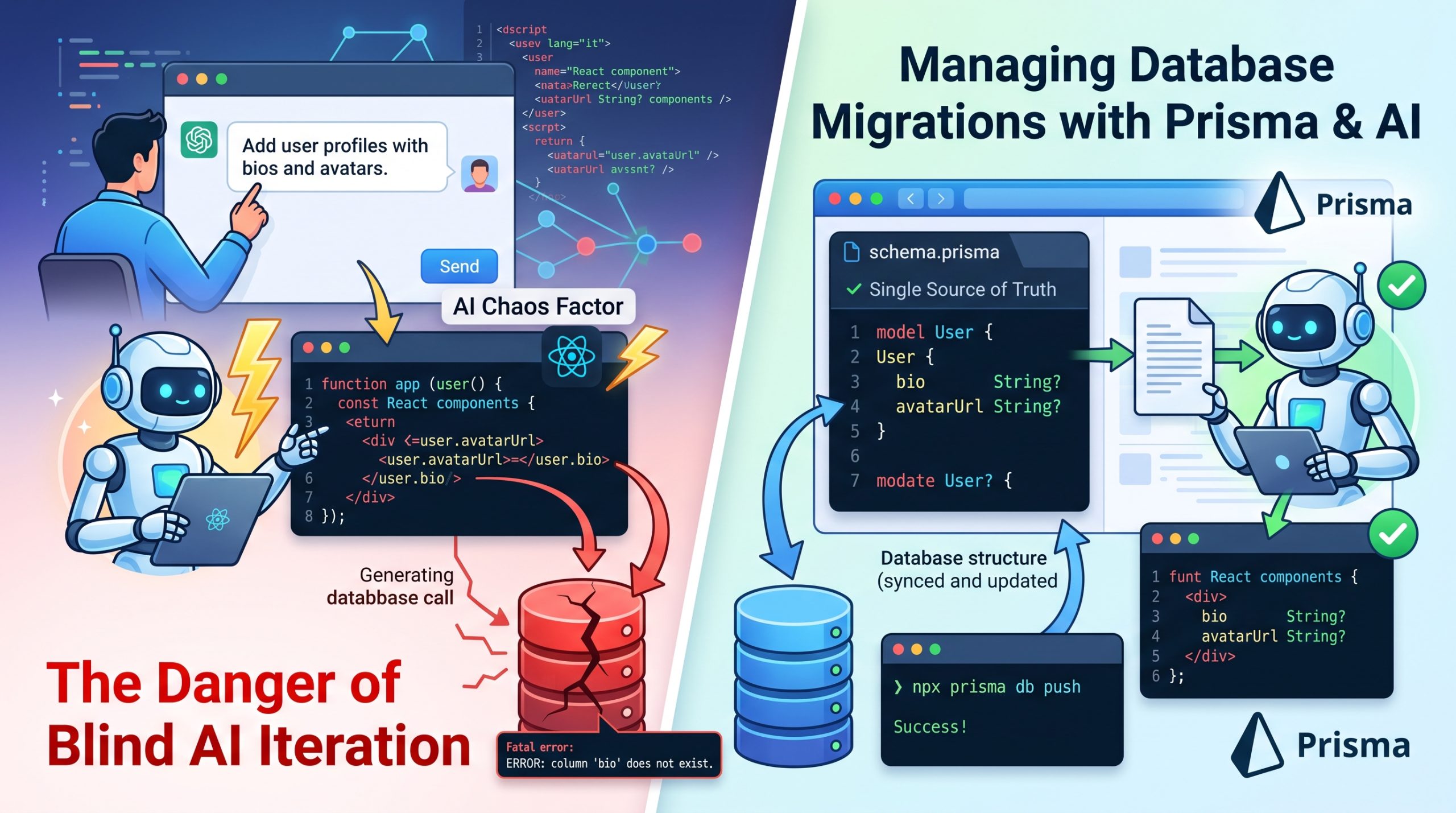
When you ask an AI to build a new feature, it often assumes the underlying database schema already exists. It blindly calls for columns that aren’t there.
The result? Fatal errors, corrupted data, and broken production states.
Today, I’m going to show you exactly how to manage database migrations when building with AI. I’ll share the exact workflow to stop your AI from breaking your schema, keeping your application stable while you iterate at lightning speed.
Let’s dive right in.
The Dangers of “Blind” AI Iteration
Here is the harsh reality about AI code generators:
They are incredibly smart at writing frontend UI components, but they are completely blind to your backend state.
When you prompt an AI to “add a feature,” it doesn’t automatically check your database tables. Instead, it hallucinates. It assumes your database perfectly matches the beautiful UI it just generated.
If the AI writes a component that tries to fetch user.avatarUrl, it expects that exact column to exist in your database. When your code runs and the column is missing, your database throws a fatal error. Your app goes down.
To prevent this, you need to enforce a strict contract between your UI and your data.
As we outlined in our master playbook for connecting AI frontends to scalable backends, you cannot let the AI guess your database structure.
You have to give it a map.
Using Prisma as Your “Single Source of Truth”
So, how do you map out your database for an AI?
In 2026, the absolute best way to do this is by using a strongly typed Object-Relational Mapper (ORM). And for AI-assisted development, Prisma is the undisputed king.
Why Prisma?
Because Prisma uses a single, highly readable file called schema.prisma. This file acts as the ultimate rulebook for your application’s data. It describes your data model in a purely declarative way.
Here is why this is a massive superpower for AI builders:
Large Language Models have massive context windows, but they need clean, structured context to avoid making things up.
Before you ask the AI to write a single line of frontend code, you feed it your schema.prisma file.
Instantly, the AI knows exactly what tables exist, what data types are required, and how your relational data connects. It won’t guess that an avatar field is called profile_pic if your schema explicitly calls it avatarUrl.
Prisma turns your database into a structured language the AI perfectly understands.
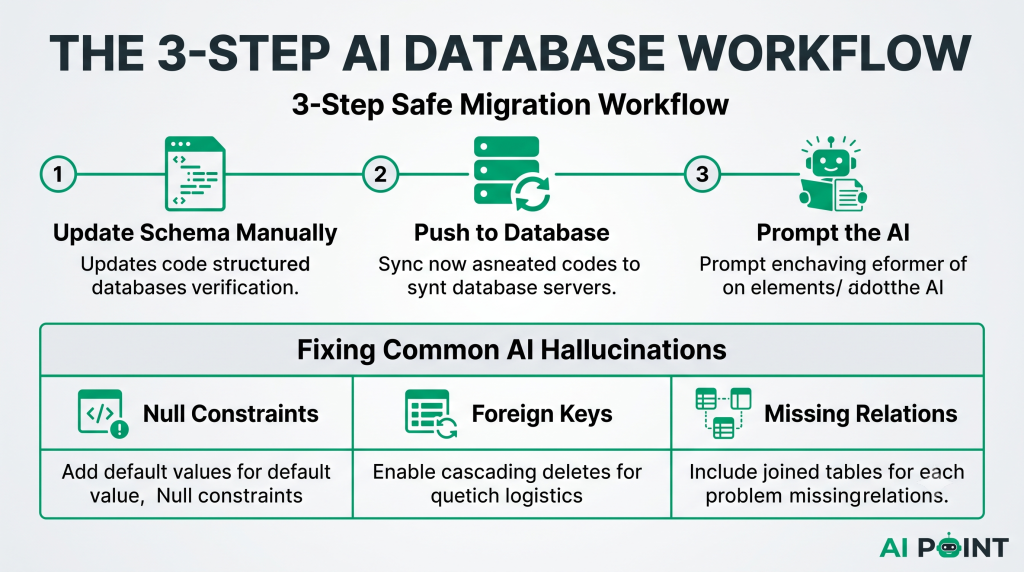
The 3-Step Safe Migration Workflow
If you want to iterate quickly without breaking your application, you must follow a strict order of operations.
Never let the AI build the frontend first.
Instead, use my 3-Step Safe Migration Workflow.
Step 1: Update Your Schema Manually
When you want a new feature, always start in your schema.prisma file. If you need a new subtitle for a blog post, manually add subtitle String to your Post model. You dictate the database structure, not the AI.
Step 2: Push the Changes to Your Database
Next, you need to sync this new schema with your actual local database.
For rapid local prototyping without generating full migration history files, you can simply run:
Bash
npx prisma db push
This command pushes the state from your Prisma schema directly to your database without using migrations. It introspects the database to infer and execute the required changes instantly.
(Note: Once your prototype is stable and you are ready for production, you can lock it in by generating a proper migration history using npx prisma migrate dev.)
Step 3: Prompt the AI with the Context
Now that your database actually supports the new feature, it is time to write your prompt.
Copy your updated schema.prisma file and paste it into your AI tool.
Then write:
“I just updated my database schema to include a subtitle field. Based strictly on the provided Prisma schema, build a React form component to update this field.”
Because the AI has the exact schema, the frontend code it generates will perfectly match your backend. Zero hallucinations. Zero crashes.
Fixing the 3 Most Common AI Database Hallucinations
Even with a rock-solid workflow, mistakes happen.
Here is how to fix the three most common database errors caused by rapid AI iteration.
1. The “Null Constraint Violation”
-
The Problem: The AI builds a submission form but forgets to include an input for a required database field. When the form submits, the database rejects it because a required column received a
nullvalue. -
The Fix: You have two options. You can go to your schema and add a default value to the field (e.g.,
@default(false)). Or, you can tell the AI: “Your form submission failed. Update the component to include a required input forcompany_id.”
2. The “Foreign Key Constraint Failed”
-
The Problem: The AI tries to delete a user record, but the user still has active posts tied to their ID in a different table. The database blocks the deletion to prevent orphaned records.
-
The Fix: You need to enable cascading deletes. Open your
schema.prismafile and update the relation field to includeonDelete: Cascade. Then runnpx prisma db pushto apply the schema changes to your database.
3. Missing Relation Includes
-
The Problem: The AI writes a database query to fetch a user’s profile, but the UI component also tries to display the user’s posts. The app crashes because the posts array returns as undefined.
-
The Fix: The AI forgot to tell the ORM to fetch the joined relational data. Simply prompt the AI: “Update the Prisma query to include the related
poststable.” It will correctly appendinclude: { posts: true }to the fetch request.
Conclusion
Managing databases while using AI doesn’t have to be a nightmare.
By treating your Prisma schema as the single source of truth, pushing changes to your database before writing UI, and giving the AI explicit context, you completely eliminate the AI chaos factor.
One final tip: If you are prototyping rapidly with db push, be aware that the command will warn you if a schema change is destructive. If you want to force it through, you have to explicitly use the --accept-data-loss flag. Always keep backups of your development database before you let an AI experiment with your schema!
