

We have officially hit a productivity ceiling.
Think about it.
You can only type so fast. You can only read so many emails. You can only write so many lines of code in a single day.
Even with AI tools like ChatGPT open in a browser tab, you are still the bottleneck. You have to write the prompt. You have to wait for the answer. You have to copy and paste the result.
If you want to scale your output today, you don’t need faster humans.
You need systems that do the work for you.
Enter: Multi-agent workflows.
This isn’t just about using AI to write a faster email. This is about deploying specialized teams of AI agents that collaborate, debate, and execute complex, multi-step tasks entirely in the background.
Today, I’m going to show you exactly how multi-agent workflows are eliminating routine busywork across development, marketing, and operations.
Let’s dive right in.
What Exactly is a Multi-Agent Workflow?
Before we get into the tactics, we need to clear something up.
Most people use AI completely wrong.
They try to use one massive, “God-mode” AI model to do everything. They give it a mega-prompt: “Research this topic, write a 2,000-word blog post, format it for SEO, and write three tweets.”
The result?
A generic, error-riddled mess. The AI loses context. It forgets instructions. It hallucinates.
Multi-agent workflows fix this.
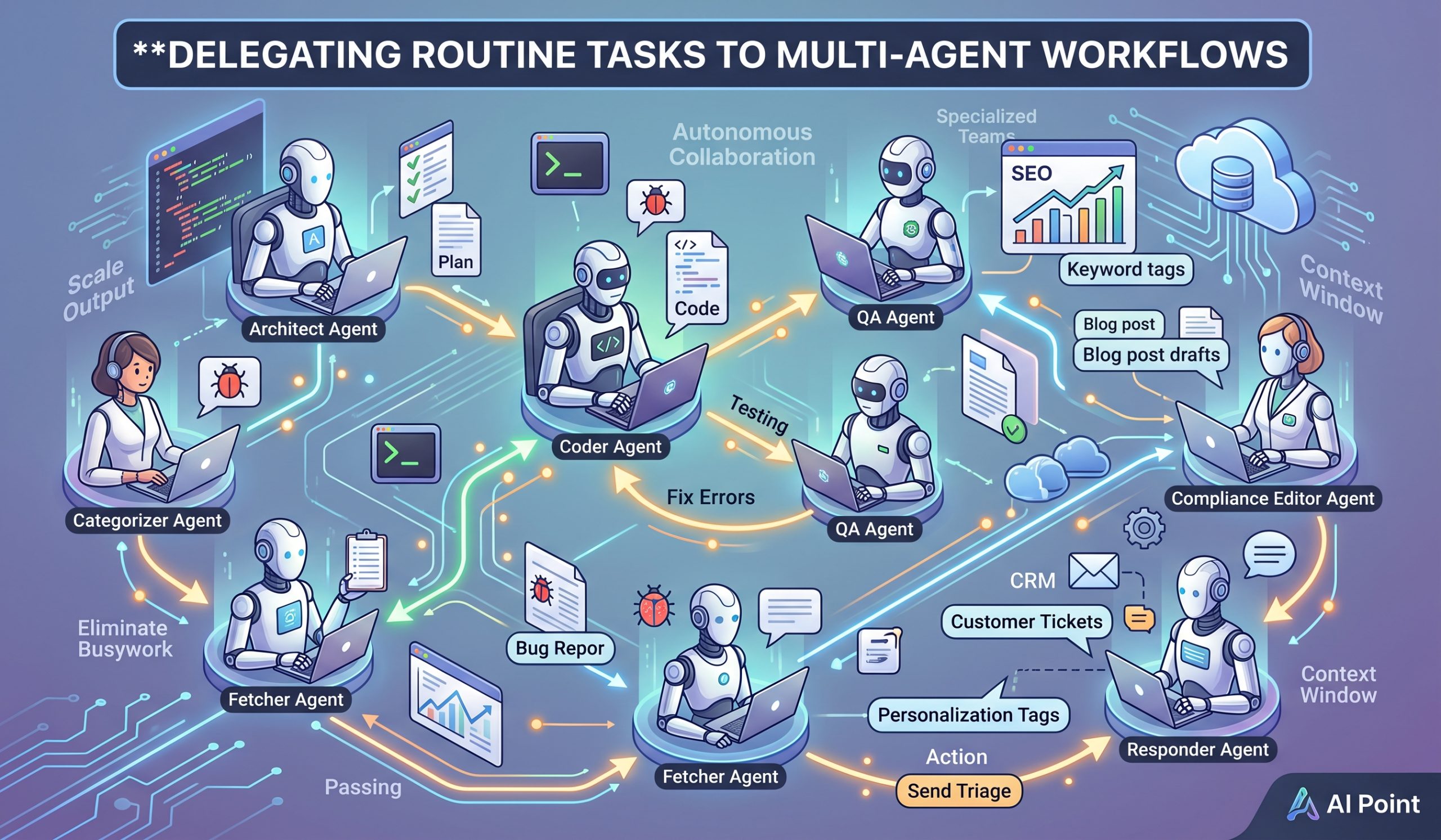
Instead of relying on one AI to do everything, you build a team of narrow, highly specialized AI agents. Each agent gets a specific persona, a single job, and a unique set of tools.
They share a context window. They talk to each other. And they pass the baton autonomously.
Here is what that looks like in practice:
- Agent A pulls the raw data.
- Agent B analyzes the data and writes a report.
- Agent C reviews the report, finds a mistake, and kicks it back to Agent B for a rewrite.
All of this happens in seconds. Without you lifting a finger.
To understand the overarching impact of this technology on modern business, read our complete guide on the rise of autonomous AI agents in the workplace.
But for now, let’s look at exactly how you can use this technology today.
High-ROI Use Cases for Multi-Agent Systems
You don’t want to use agents for everything.
You want to use them for repetitive, multi-step tasks that drain your team’s energy. Here are three high-ROI workflows you can steal right now.
Use Case 1: The Autonomous Software Development Team
Coding isn’t just about writing code. It is about researching, testing, and documenting.
Instead of paying a senior developer to do all three, you can deploy a 3-agent team:
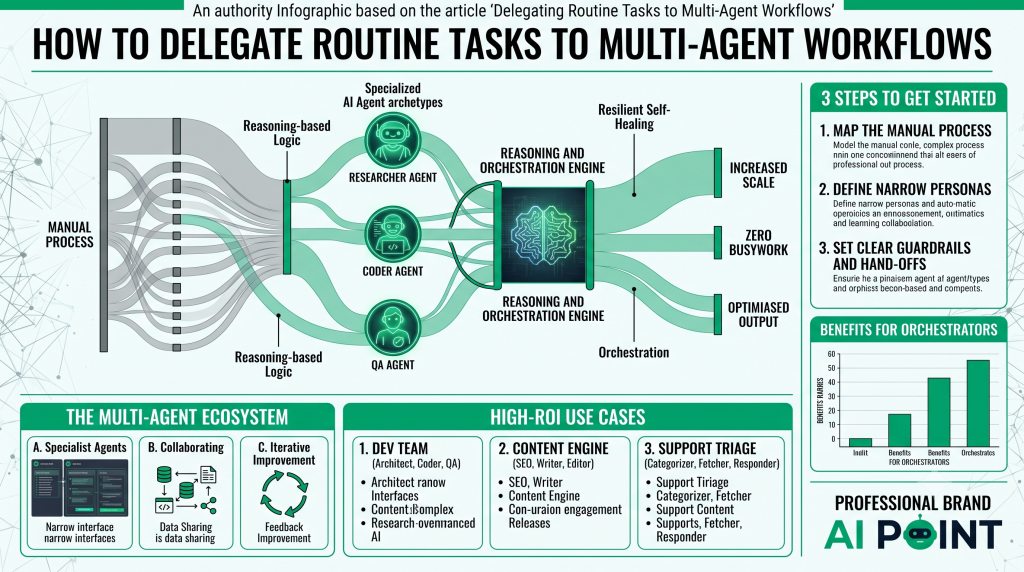
- The Architect Agent: Scours GitHub, reads the latest API documentation, and writes a step-by-step technical plan.
- The Coder Agent: Takes the Architect’s plan and writes the actual Python or JavaScript code.
- The QA Agent: Runs the code. If it throws an error, the QA Agent reads the error log and sends it back to the Coder Agent with instructions on how to fix it.
They loop this process until the code runs perfectly. Then, they ping you on Slack with the finished script.
Use Case 2: The Content Marketing Engine
Content creation is a massive bottleneck.
But a multi-agent workflow can turn hours of work into minutes. Here is the exact setup:
- The SEO Strategist Agent: Connects to an API like Ahrefs or Semrush. It identifies a keyword gap and generates a detailed content brief.
- The Copywriter Agent: Takes the brief and writes a 1,500-word draft, mimicking your exact brand voice.
- The Compliance/Editor Agent: This is the secret sauce. This agent reviews the draft specifically to check for factual accuracy, readability, and brand compliance.
If the Copywriter Agent uses too much jargon, the Editor Agent forces it to rewrite the paragraph. You only see the final, polished piece.
Use Case 3: Customer Support Triage
Customer support teams spend 50% of their day just organizing tickets.
A multi-agent workflow eliminates this completely.
- The Categorizer Agent: Reads every incoming email. It determines if it’s a refund request, a technical bug, or a sales question.
- The Fetcher Agent: Connects to your CRM (like Salesforce) or your database to pull the customer’s purchase history and account details.
- The Responder Agent: Drafts a hyper-personalized response based on the fetched data, applies the appropriate tag, and queues it up for a human to hit “Send.”
The result? Your support team handles 10x the volume with zero drop in quality.
How to Build Your First Multi-Agent Workflow
Ready to build your own?
You don’t need a PhD in machine learning to do this. Thanks to open-source frameworks like CrewAI and Microsoft AutoGen, building these workflows is easier than ever.
Here is a simple 3-step checklist to get started:
Step 1: Map the Manual Process
Grab a piece of paper. Write down every single step a human takes to complete the task today. Where do they click? What data do they read? Who do they send it to? You cannot automate a process that you don’t understand.
Step 2: Define Narrow Personas
Take your manual process and divide it into specialized roles. Remember: Do not build a “Do everything” agent. Build a “Review code for security flaws” agent. The narrower the prompt, the better the output.
Step 3: Set Clear Guardrails and Hand-Offs
Agents need to know exactly what constitutes a “finished” job. Tell Agent A exactly what format Agent B expects the data in. Set a rule that the QA Agent can only send a task back to the Coder Agent a maximum of three times before flagging a human for help.
Start small. Automate one process. Then scale.
Conclusion
We are entering a brand new era of work.
The most successful employees of the future will not be the ones who type the fastest or work the longest hours.
They will be the “Agent Orchestrators.”
The people who know how to deploy, manage, and scale teams of digital workers to execute complex tasks in the background. By delegating routine tasks to multi-agent workflows, you aren’t just saving time. You are unlocking a level of scale that was previously impossible.
Ready to level up your AI skills? Make sure to bookmark AI Point for more deep dives, tutorials, and strategies on the future of workflow automation.
