

Let’s be honest.
In 2026, building a stunning React or Vue frontend is ridiculously easy.
Between tools like Lovable, v0, and Cursor, we are living squarely in the “vibe coding” era. You type a prompt. You hit enter. Ten seconds later, you have a pixel-perfect, responsive UI that looks like it took a senior designer three weeks to build.
But there is a massive catch.
A beautiful UI without a backend is just an expensive mockup.
It looks great on Twitter. But it doesn’t store user data. It doesn’t process payments. And it certainly doesn’t scale.
The truth? Generating frontends is a solved problem. But handling backend state management, user security, and database schemas remains highly complex. AI is great at writing components, but it is notoriously bad at architectural plumbing.
That’s exactly why I put together this playbook.
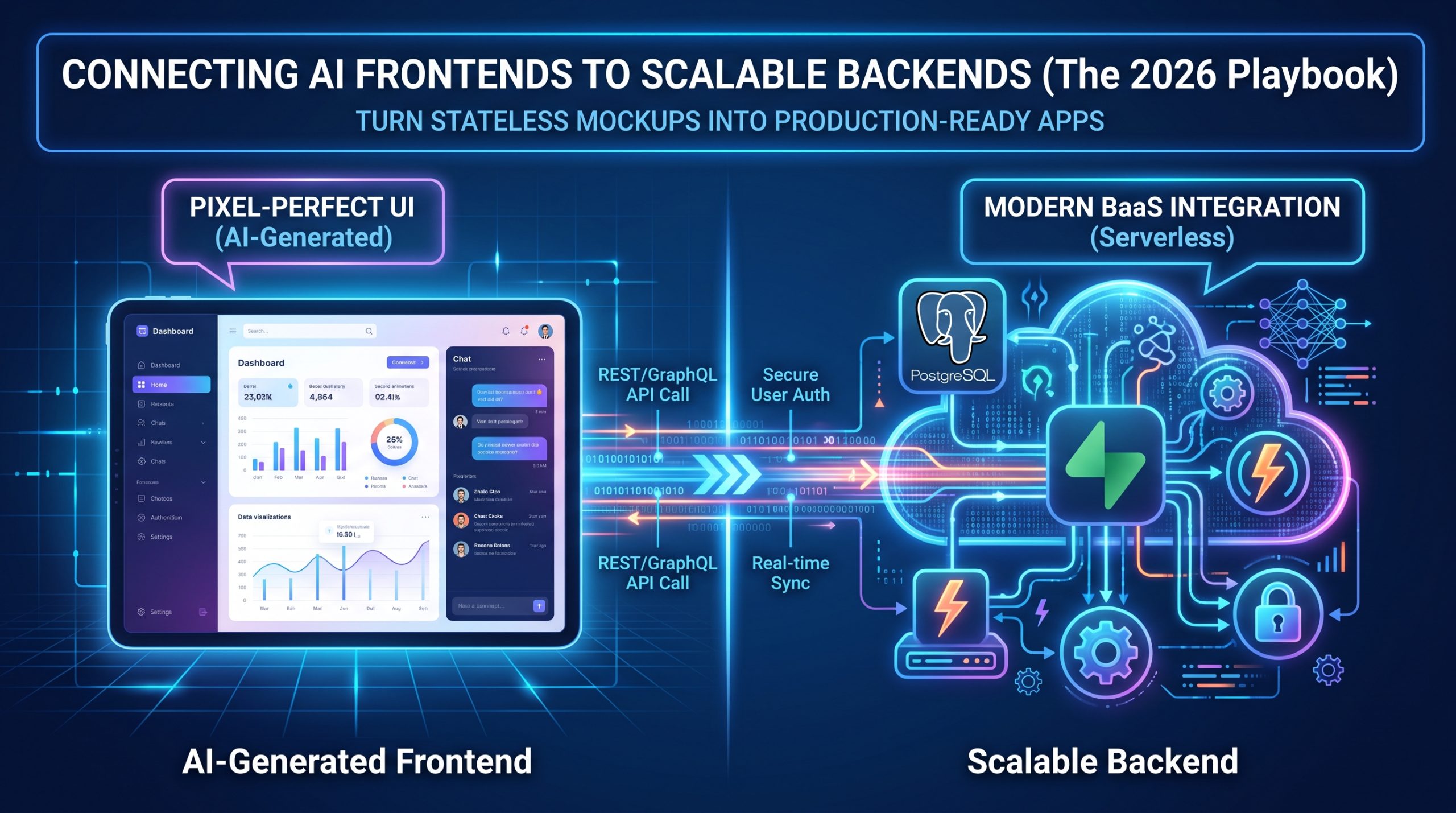
Today, I am going to show you exactly how to connect your AI-generated frontends to modern, scalable, serverless backends. We are going to turn your stateless mockups into production-ready web apps.
Let’s dive right in.
The 2026 Architecture Shift: From Monoliths to Serverless BaaS
Remember the old days of web development?
If you wanted to build an app, you had to spin up a massive monolithic server. You had to configure Express, set up middleware, manage a Linux box, and pray your server didn’t crash when traffic spiked.
Those days are officially over.
For AI builders in 2026, the monolith is dead.
Enter the new meta: Serverless Backend-as-a-Service (BaaS).
Here is why this shift is happening. AI code generators like Lovable and v0 excel at building component-based architectures (like React server components). They want to fetch data directly from an API, not wait for a monolithic backend to render a template.
To match the speed of AI frontend generation, you need a backend that deploys just as fast.
You need Serverless BaaS.
With modern BaaS platforms, your database, authentication, and serverless functions live on the Edge. Instead of managing servers, you just call an API from your AI-generated frontend.
Look at this typical Edge Function. It is fast, lightweight, and perfect for AI apps:
JavaScript
// Edge function handling an AI payload
export default {
  async fetch(request, env) {
    const data = await request.json();

    // Process AI payload directly at the edge
    const result = await env.AI_MODEL.run('@cf/meta/llama-3', {
      prompt: data.prompt
    });

    return new Response(JSON.stringify(result));
  },
};
The bottom line? Stop building custom Node.js servers from scratch. Use BaaS. Your AI code generator will thank you.
Choosing the Right Backend for AI-Generated UIs
So, you know you need a BaaS.
But which one should you choose?
When you are building with AI, your backend needs to deliver three things instantly:
-
Instant REST/GraphQL APIs: So your AI can fetch data without writing custom routes.
-
Real-time Sync: Because AI apps are highly interactive.
-
Plug-and-play Auth: Because writing custom login flows is a waste of time.
Right now, there are three heavyweights dominating the 2026 landscape.
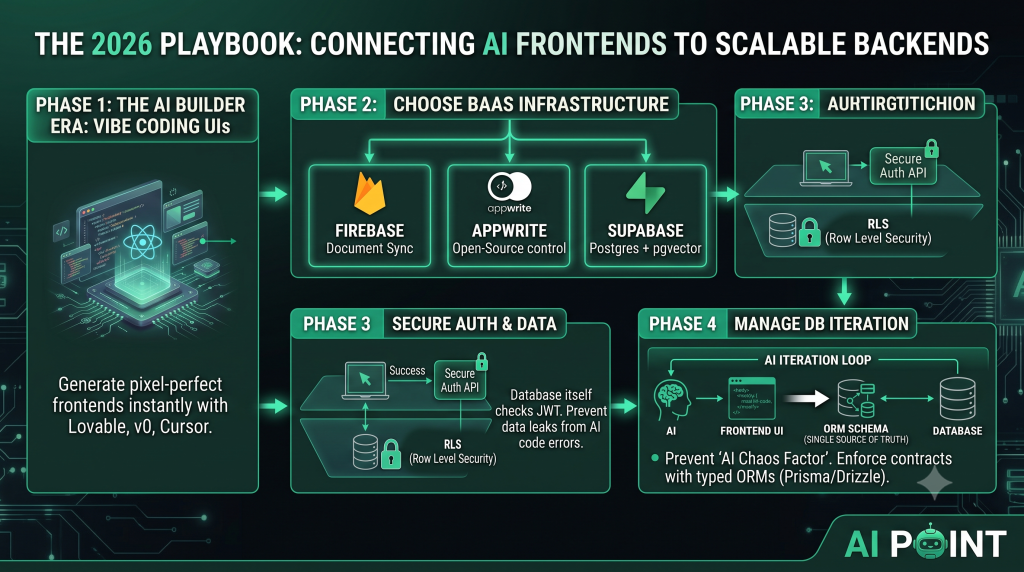
1. Firebase The Google-backed veteran. It is incredible for real-time document syncing (Firestore). If your AI app is essentially a giant chat interface, Firebase is a very solid choice. But its NoSQL nature can make complex data relationships a headache when your app scales.
2. Appwrite The open-source champion. Appwrite gives you total control over your data. You can self-host it, which is massive if your AI app processes sensitive user data and you need strict compliance.
3. Supabase The Postgres-native powerhouse. This is my personal favorite for AI builders. Why? Because it gives you a full relational Postgres database, but wraps it in auto-generated APIs. Plus, its pgvector extension makes building AI apps natively incredibly easy.
To dive deep into the pros, cons, and pricing of each platform, check out our full breakdown on [Firebase vs. Appwrite vs. Supabase: Which Backend is Best for AI Builders?].
Handling Authentication and User Sessions
Here is a harsh reality about AI code generators: They build stateless UIs.
When you ask an AI to “build a dashboard,” it builds the buttons, the charts, and the layout. But it assumes the user is already logged in.
Teaching your AI to handle JSON Web Tokens (JWTs), secure HTTP-only cookies, and route guards is where most indie hackers hit a massive wall.
Let me explain the modern approach to fixing this.
You should never let your frontend—or the AI that wrote it—handle raw security rules. Instead, you need to rely on Row Level Security (RLS).
RLS lives at the database level. It means the database itself checks the user’s JWT before returning data. Even if your AI hallucinates a frontend component that asks for all user data, the database will block it.
Here is what a modern, secure auth connection looks like using Supabase in an AI-generated React component:
JavaScript
import { createClient } from '@supabase/supabase-js'

const supabase = createClient('YOUR_URL', 'YOUR_ANON_KEY')

// The AI generated this login button function
async function signInWithGitHub() {
  const { data, error } = await supabase.auth.signInWithOAuth({
    provider: 'github',
  })

  if (error) console.error("Auth failed:", error.message)
}
See how simple that is? You just drop the BaaS SDK into your AI-generated buttons.
Want a practical walkthrough of setting this up from scratch? See our step-by-step guide on [How to Connect a Lovable MVP to Supabase Auth in Under 10 Minutes].
Database Architecture: Surviving AI-Driven Iteration
If you use AI to build apps, you already know about The AI Chaos Factor.
It goes like this: You have a working app. You ask Cursor to “add a user profile feature with custom avatars.”
Cursor happily writes the frontend code. But it also modifies your data-fetching logic, assuming your database suddenly has an avatar_url column.
Your app breaks. Production goes down.
Why did this happen? Because the AI arbitrarily generated frontend code without knowing your actual database schema.
Here is how you stop this from happening: You must enforce a strict contract between your AI-generated frontend and your database.
The best way to do this in 2026? Strongly typed ORMs.
Tools like Prisma or Drizzle are mandatory for AI builders. By maintaining a single schema.prisma file, you give the AI a definitive source of truth.
Before the AI writes any frontend code, you force it to read this file:
Code snippet
// schema.prisma
model User {
  id        String   @id @default(uuid())
  email     String   @unique
  name      String?
  // If the AI wants to add avatars, it must add the column here first!
  createdAt DateTime @default(now())
}
When you use an ORM, your frontend is strictly typed. If the AI tries to call user.avatar_url before running a database migration, TypeScript will throw a massive red error.
This saves your production data from being corrupted by rapid AI iteration.
If you’ve ever had an AI tool break your app’s state, you must read our advanced tutorial on [Managing Database Migrations When the AI Breaks Your Schema].
Turning UIs into Micro-SaaS: Payments & Webhooks
At this point, you have a beautiful AI frontend. It is connected to a scalable database. Your users can log in securely.
Now? It is time to make money.
A backend isn’t just about storing data. It is about executing business logic. To transition from a cool “AI wrapper” into a profitable Micro-SaaS, you need payments.
And that means setting up event-driven architecture.
When a user upgrades to your premium tier, Stripe (or LemonSqueezy) processes the payment. But Stripe needs to tell your database that the user actually paid.
Enter the Webhook.
Webhooks are HTTP endpoints on your backend that listen for events from external services. For subscriptions, you need to listen for the invoice.paid event.
Here is the secret to webhooks and AI: Do not trust AI to write your webhook boilerplate without manually reviewing it.
Webhooks handle your revenue. If the AI hallucinates a missing await statement or fails to verify the Stripe signature, you will end up giving your product away for free.
Here is the exact boilerplate you need to verify a Stripe webhook securely:
JavaScript
import Stripe from 'stripe';
const stripe = new Stripe(process.env.STRIPE_SECRET_KEY);

export async function POST(req) {
  const payload = await req.text();
  const sig = req.headers.get('stripe-signature');

  try {
    // CRITICAL: Always verify the signature to prevent fraud
    const event = stripe.webhooks.constructEvent(
      payload,
      sig,
      process.env.STRIPE_WEBHOOK_SECRET
    );

    if (event.type === 'invoice.paid') {
      // Update your database here
      console.log('Payment successful. Upgrading user.');
    }

    return new Response('Webhook handled', { status: 200 });
  } catch (err) {
    return new Response(`Webhook Error: ${err.message}`, { status: 400 });
  }
}
Don’t let missed webhooks ruin your revenue. Follow our exact, copy-paste implementation guide for [Setting Up Stripe Webhooks for AI-Generated Micro-SaaS Apps].
Future-Proofing: Autonomous Agents and Modular Pipelines
Let’s look ahead.
Connecting a React UI to a Postgres database is table stakes today. But where is AI app architecture heading?
Autonomous Agents.
We are moving away from simple CRUD (Create, Read, Update, Delete) apps. 2026 is all about autonomous agents using Plan and Solve patterns and Reflection loops.
Your backend is no longer just storing text and numbers. It needs to store conversational context, user intent, and vector embeddings.
This means your backend architecture needs to be modular. You need Edge functions that can trigger multi-step LLM pipelines in the background, update a vector database like Pinecone, and push real-time updates back to the client via WebSockets.
The apps that win aren’t just fast to build. They are built on robust, scalable pipelines that can handle the massive compute demands of AI logic.
Build your foundation right today, and scaling your AI Micro-SaaS tomorrow will be effortless.
