

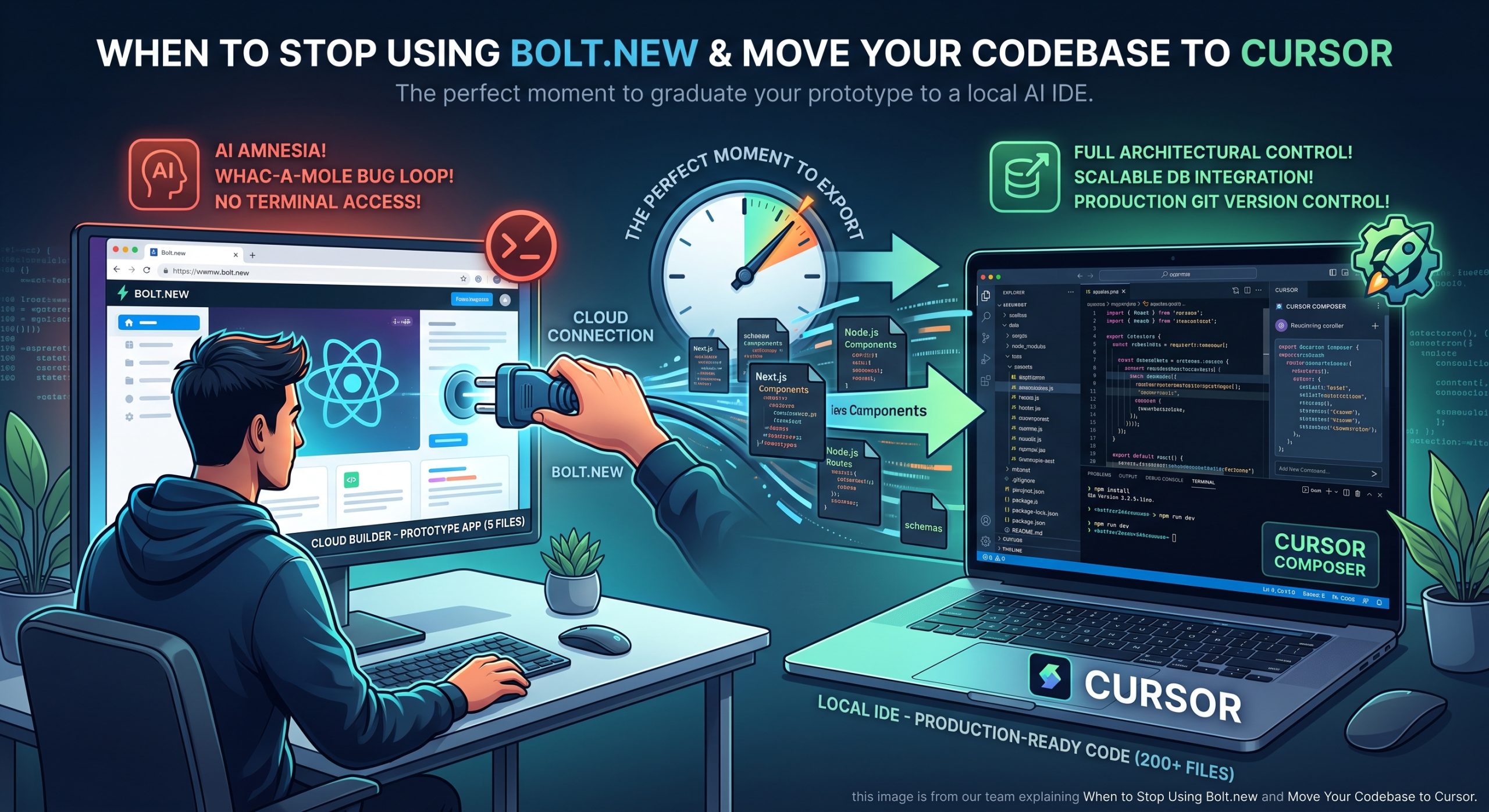
You just spun up a fully functional React app in 15 minutes.
It feels like absolute magic.
You typed a single prompt into Bolt.new, hit “Generate,” and a beautiful UI appeared right in your browser.
But there is a massive catch.
If you stay in the browser too long, your project is going to hit a brick wall. Hard.
Why?
Because AI builders are incredible for going from zero to one. But the moment you try to scale that app into a production-ready application, things start to break down.
The secret to building a real, scalable product isn’t sticking with the builder forever.
It’s knowing the exact millisecond to pull the plug, export your code, and move to a local environment.
Today, I am going to show you exactly when to stop using Bolt.new and migrate your codebase to Cursor.
Let’s dive right in.
The Limits of Browser-Based AI Development
To understand when to leave, you first need to understand the limitations of where you are.
Here is the deal:
Cloud-based AI builders like Bolt.new and Lovable are essentially highly advanced sketchpads.
They operate with zero environment setup. You don’t have to worry about dependency hell or configuring your package manager. You just prompt, and you get instant visual feedback.
But that speed comes at a steep price.
Browser-based AI tools have a limited context window. When your application only consists of five or six files, the AI can hold your entire project architecture in its “brain” at once.
But as your app grows?
The AI starts to drop context. It starts hallucinating. It loses track of how your components interact with each other.
This is the exact danger zone you must avoid when graduating from AI builders to AI IDEs.
Local AI IDEs (like Cursor) solve this by sitting directly on your hard drive. They can scan hundreds of files simultaneously. They give you total architectural control over your Next.js routing, your Node.js serverless functions, and your database schemas.
But if you move to an IDE too early, you lose the blazing speed of the cloud builder.
So, how do you time it perfectly?
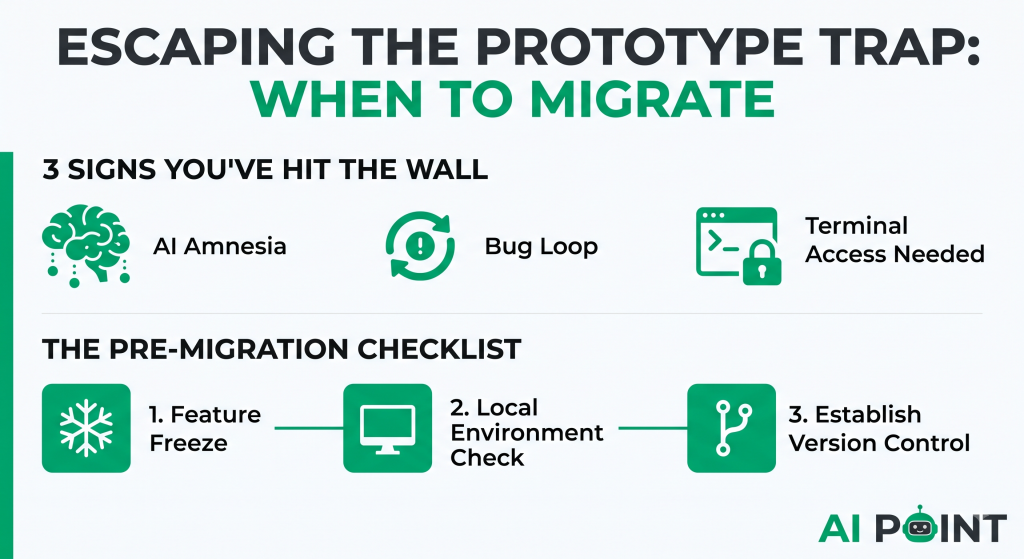
3 Undeniable Signs You’ve Hit “The Wall”
You will know it is time to migrate when you experience one (or all) of these three symptoms.
I call this hitting “The Wall.”
Sign #1: The AI Gets Amnesia
On day one, the AI builder is your best friend.
By day four, it acts like it has never met you.
You find yourself constantly reminding the AI of your project’s basic rules. It forgets the CSS variables you established yesterday. It completely ignores how your global authentication state works.
If you have to type “Remember, we are using Tailwind for this” or “Don’t forget the user profile is passed as a prop” into your prompts, the context window has collapsed.
It is time to leave.
Sign #2: The Whac-A-Mole Bug Loop
This is the most frustrating symptom by far.
You ask the AI builder to fix a simple alignment issue on your dashboard.
It fixes it!
…But in the process, it completely breaks your navigation bar.
So you tell it to fix the navigation bar. It does!
…But now the dashboard is broken again.
Because the AI in the browser doesn’t have a deep, structured understanding of how your components share state across a large Next.js application, it just rewrites files blindly.
If you are spending more time fixing AI-generated regressions than building new features, pull the plug.
Sign #3: You Need Terminal Access
AI builders thrive on standardized, front-end generation.
But what happens when you need to run custom build scripts?
What if you need to install a hyper-specific NPM package for a custom database integration? Or maybe you need to configure a serverless Node.js backend that requires strict environment variables?
Browser builders try to abstract the terminal away.
But to build a production app, the terminal is your steering wheel. The moment you find yourself thinking, “I just need to run a quick terminal command to fix this,” your time in the cloud is officially over.
The Pre-Migration Checklist
Okay, you’ve hit The Wall. You are ready to move to Cursor.
Stop right there.
Do not just click “Export” and hope for the best.
AI-generated code is notoriously messy. If you don’t migrate carefully, you will export a broken, unfixable mess to your local machine.
Follow this exact 3-step checklist before you leave the browser:
Step 1: The Feature Freeze Your goal right now is not to add new things. Your goal is to capture the prototype in a stable, working state. If you have a half-finished feature in Bolt.new, delete it. Only export code that actively compiles and runs without errors.
Step 2: The Local Environment Check Once you download the ZIP file, open your terminal and run the basics: npm install npm run dev Does it render exactly like it did in the browser? If it throws an error, open the project in Cursor. Highlight the terminal error using Cursor’s Composer feature (Cmd+I) and let the local AI find the missing dependency.
Step 3: Establish Version Control Reality AI builders let you easily undo a bad prompt. But in a local IDE? You need real Git commits. As soon as the app runs locally, initialize a Git repository. Make your first commit: “Initial migration from Bolt.new.”
From this moment on, you are no longer just prompting. You are engineering.
Conclusion
There you have it.
The exact roadmap for knowing when to abandon your cloud builder and migrate to a professional AI IDE.
AI builders are incredible tools for rapid prototyping. But they are not production servers.
Once the AI starts forgetting context, creating bug loops, or blocking your terminal access, it is time to take back control.
Audit your current AI builder project today. Freeze the features, export the code, and fire up Cursor.
