

Let’s get straight to the point.
The era of building custom Node.js monoliths from scratch is officially over.
If you are building AI applications today, speed is your absolute biggest advantage. You can open up a tool like Lovable, v0, or Cursor, type a simple prompt, and generate a pixel-perfect React frontend in less than 60 seconds.
But here is the million-dollar question:
Where does that beautiful frontend store its data?
You cannot spend three weeks writing boilerplate CRUD routes for an app you generated in three minutes. You need infrastructure that moves as fast as you do.
You need a Backend-as-a-Service (BaaS).
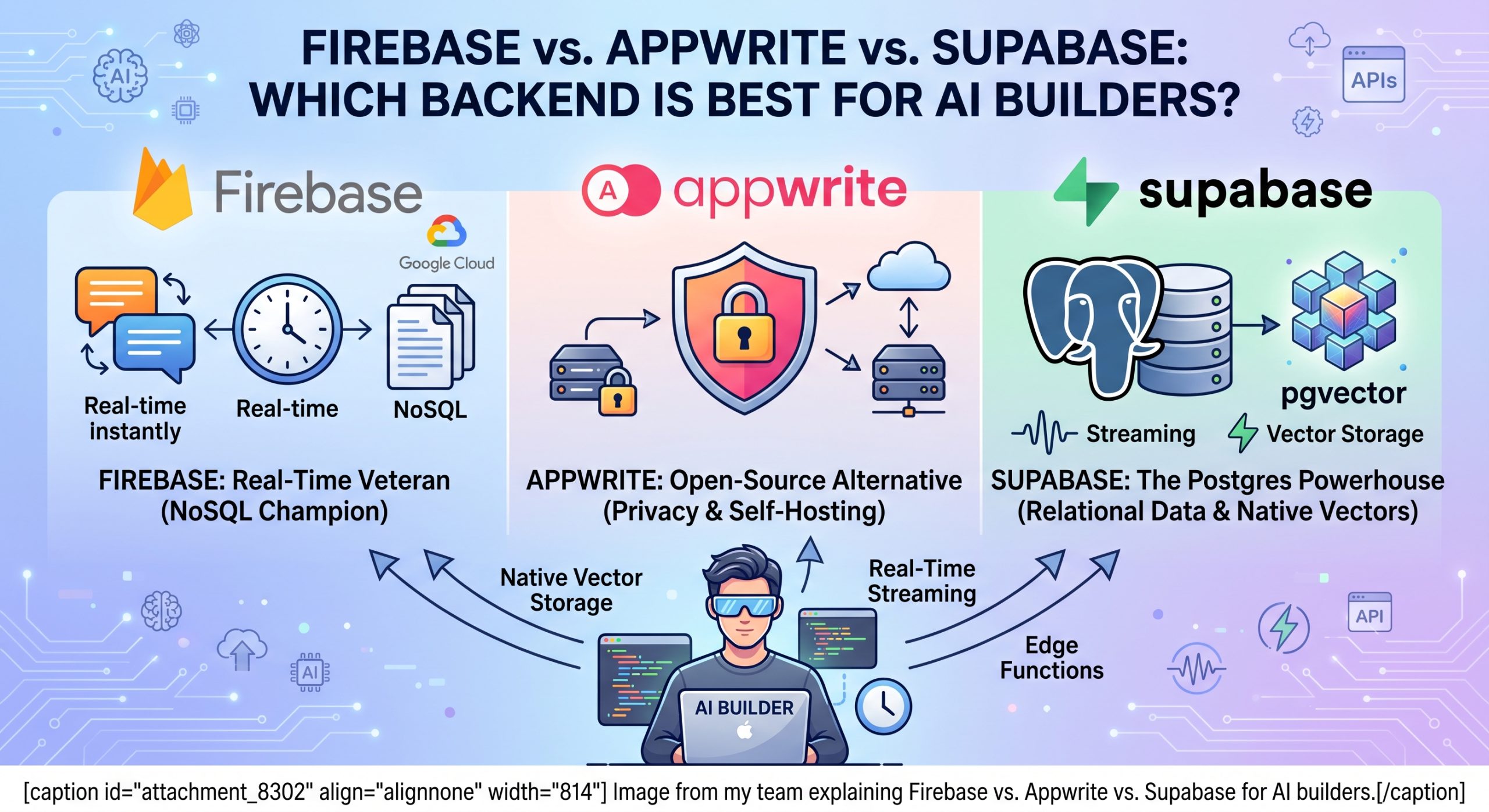
Right now, three platforms dominate the space: Firebase, Appwrite, and Supabase.
But which one is actually the best for building AI wrappers, RAG (Retrieval-Augmented Generation) pipelines, and autonomous agents?
Today, I am going to break down exactly which backend you should choose for your next AI project.
Let’s dive in.
Evaluating Backends for the AI Era
Before we compare the platforms, we need to define what an AI builder actually needs.
Building an AI app is vastly different from building a traditional SaaS. A standard web app just needs to store text and numbers. An AI app needs to store massive arrays of vector embeddings, stream tokens in real-time, and execute long-running background tasks.
Understanding this modern serverless architecture shift is absolutely crucial. You need a backend that deploys just as fast as an AI can write frontend components.
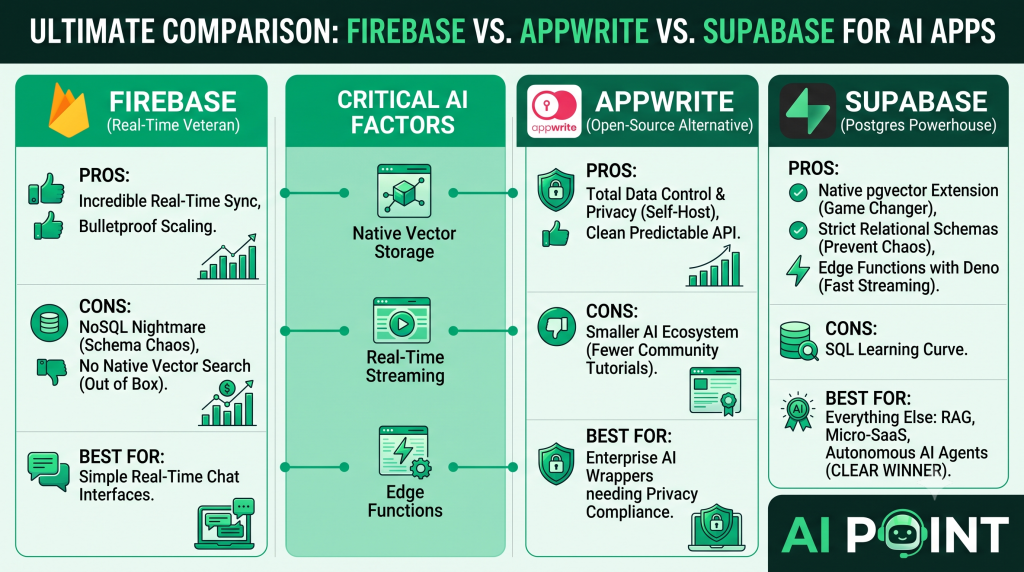
When evaluating a BaaS for AI, I look at three critical factors:
1. Native Vector Storage AI applications rely on context. To give an LLM context, you need to store vector embeddings. If your backend doesn’t support vector storage natively, you will have to pay for a third-party vector database like Pinecone. That means more complexity and more latency.
2. Real-Time Streaming When users talk to an AI, they expect to see the words appear one by one. Your backend must support real-time data streaming and WebSockets out of the box.
3. Edge Functions AI models take time to process data. You cannot have your frontend waiting idly. You need powerful, serverless edge functions that can run autonomous AI tasks (like generating multi-scene video scripts in the background) without timing out.
Now that we know the rules of the game, let’s look at the contenders.
Firebase: The Real-Time Veteran
Firebase is the Google-backed heavyweight of the BaaS world. It has been around for years, and it powers massive, production-grade applications.
But is it good for AI?
Let’s look at the pros and cons.
The Pros for AI Builders
Incredible Real-Time Sync Firebase’s core database, Firestore, is a NoSQL document store built specifically for real-time synchronization. If you are building a ChatGPT-style clone where you need a chat interface to update instantly across multiple devices, Firebase handles this flawlessly.
Bulletproof Scaling Because it is backed by Google Cloud infrastructure, you never have to worry about your database going down if your AI app goes viral on TikTok or YouTube.
The Cons for AI Builders
The NoSQL Nightmare Firestore is NoSQL. This means it doesn’t enforce strict relational schemas. When you are using AI code generators to rapidly iterate on your frontend, a lack of strict database schemas can lead to massive data corruption. The AI will start hallucinating data structures, and Firebase will just blindly accept them.
No Native Vector Search (Out of the Box) While Google Cloud has vector search capabilities, it is not seamlessly integrated into the standard Firebase client SDKs the way indie hackers need it to be. You often have to duct-tape it together with Google Cloud extensions, which completely defeats the purpose of a “drop-in” backend.
The Verdict on Firebase: Use it if your AI app is strictly a real-time chat interface. Avoid it if you are building complex AI agents that require strict relational data.
Appwrite: The Open-Source Alternative
Appwrite has exploded in popularity over the last few years as the ultimate open-source alternative to Firebase.
It gives you databases, storage, authentication, and functions, all wrapped in a beautifully designed dashboard.
The Pros for AI Builders
Total Data Control and Privacy This is Appwrite’s absolute biggest superpower. Because it is open-source, you can self-host Appwrite on your own digital ocean droplet or AWS server.
Why does this matter for AI?
Privacy. If you are building an AI application for the healthcare industry, or an internal AI tool for a corporate enterprise, you cannot legally send user data to a shared cloud database. You need total ownership. Appwrite gives you that control.
A Clean, Predictable API Appwrite’s SDKs are incredibly clean. When you are prompting Cursor or Lovable to write API calls, the AI rarely makes mistakes with Appwrite syntax because the documentation is incredibly straightforward.
The Cons for AI Builders
A Smaller AI-Specific Ecosystem Because the platform is newer and smaller than Firebase or Supabase, there are fewer community tutorials on integrating Appwrite specifically with tools like LangChain, OpenAI, or specialized AI pipelines. When you hit a weird AI edge case, you might be on your own to figure it out.
The Verdict on Appwrite: The absolute best choice if you are building an AI tool that processes highly sensitive, private data and requires self-hosting.
Supabase: The Postgres Powerhouse
Let me not bury the lead here.
For 90% of AI builders in 2026, Supabase is the absolute best backend you can choose.
Supabase markets itself as an open-source Firebase alternative. But under the hood, it is something much more powerful: A fully relational PostgreSQL database.
The Pros for AI Builders
The pgvector Extension This is the game-changer. Supabase natively supports pgvector. This means your standard Postgres database doubles as a world-class vector database.
You don’t need a separate Pinecone subscription. You can store your user accounts, their billing history, and their high-dimensional AI vector embeddings all in the exact same database. You can even run SQL queries that filter by a user ID and perform a vector similarity search at the same time. It is incredibly powerful.
Strict Relational Schemas Remember the “AI Chaos Factor” we talked about? Because Supabase uses strict relational SQL, you can lock down your schema. If an AI code generator tries to push bad data, the database rejects it. Your production app stays safe.
Edge Functions with Deno Supabase Edge Functions are built on Deno. They are blazing fast, and they have native support for streaming responses. This makes building streaming LLM interfaces ridiculously easy.
The Cons for AI Builders
The SQL Learning Curve If you have only ever used NoSQL databases, writing SQL queries and understanding foreign key relationships can be intimidating at first. You will have to learn how to properly structure tables.
The Verdict on Supabase: It is the undisputed king of the AI development era. The combination of relational data integrity and native vector storage makes it unbeatable.
Conclusion & Final Verdict
Picking a backend doesn’t have to be a multi-week research project.
In the era of AI vibe-coding, your backend should empower your speed, not slow you down.
Here is the final cheat sheet:
-
Choose Firebase if you are building a simple, real-time streaming chat application and you hate managing database schemas.
-
Choose Appwrite if you are building an enterprise AI wrapper and you absolutely must self-host your data for privacy compliance.
-
Choose Supabase for everything else. If you are building a RAG application, a Micro-SaaS, or an autonomous AI agent, the native vector storage and strict data contracts make Supabase the clear winner.
Pick your infrastructure, lock in your architecture, and get back to building.
