

You have been there.
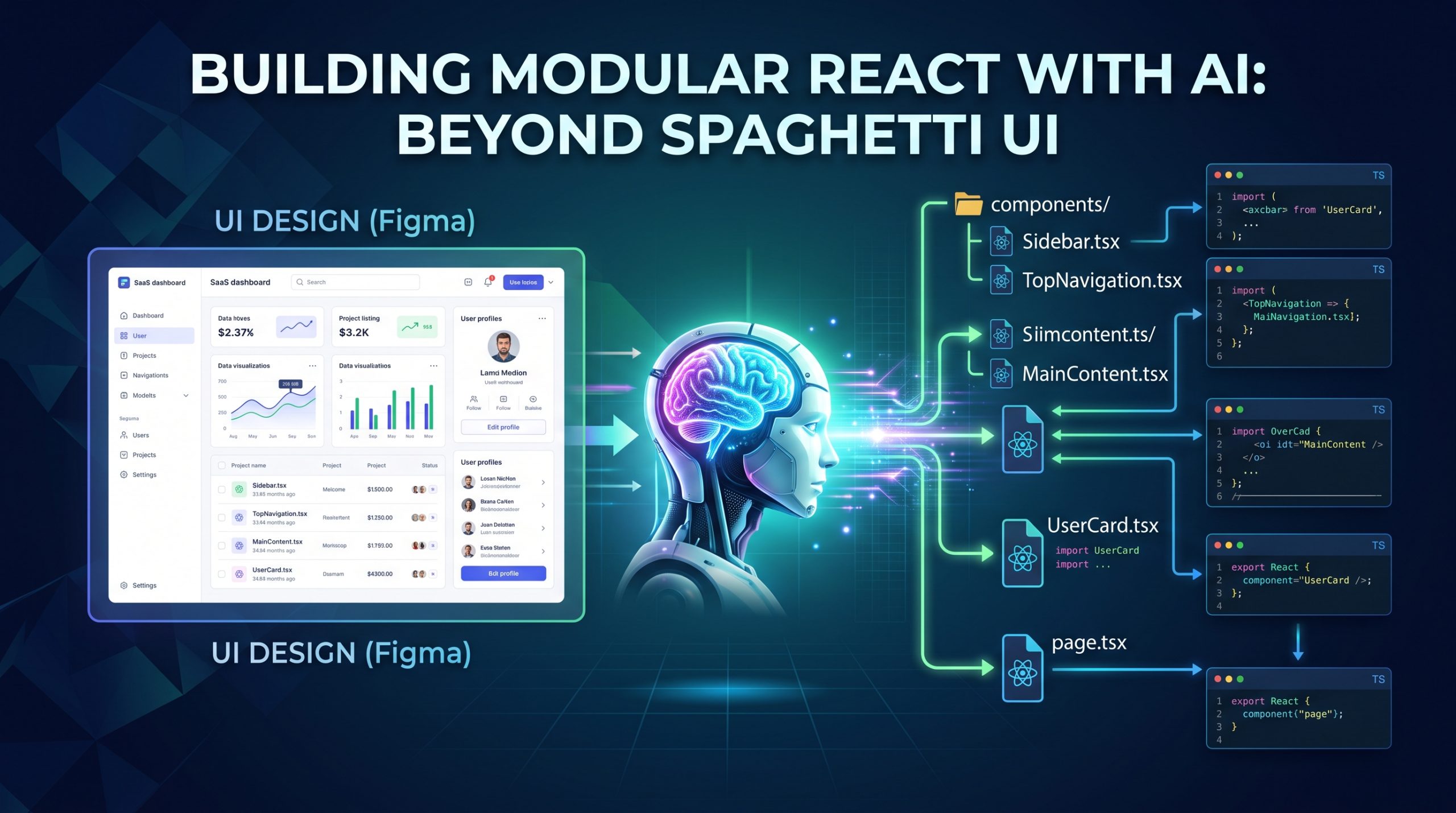
You take a beautiful UI screenshot from Figma. You upload it to your favorite AI model. You type in a simple command: “Build this in React.”
You hit enter, excited for the magic to happen.
But what do you get back?
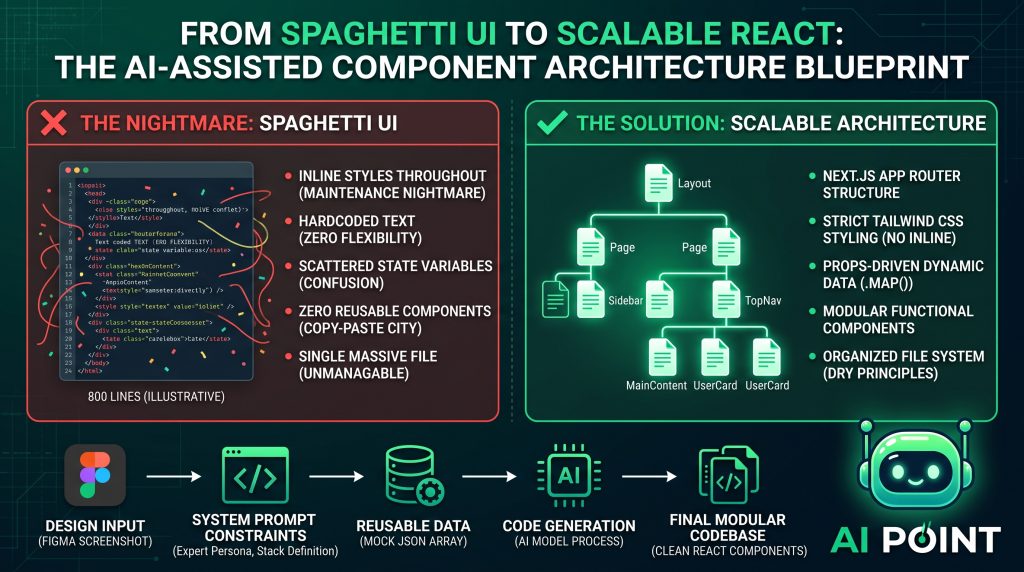
A massive, 800-line single-file monstrosity.
It has inline styles everywhere. There are zero reusable components. State variables are scattered like confetti.
In short: it is a complete nightmare to maintain.
If you want to actually use AI for serious web development, you cannot accept this kind of output.
The secret to great AI-generated code is not waiting for a better vision model. The secret is utilizing better constraints.
Today, I am going to show you exactly how to convert visual designs into clean, modular React components using advanced AI prompts.
Let’s dive right in.
Why Vision Models Fail at Component Architecture
To fix the problem, we first need to understand why it happens in the first place.
Here is the truth.
When you feed an image to an AI vision model, it does not see React component trees. It does not understand modern App Router conventions.
It just sees flat pixels.
Its only goal is to replicate those pixels using code as fast as humanly—or artificially—possible.
And what is the fastest way to build a user interface? A massive, monolithic file.
The AI takes the path of least resistance. It hardcodes text. It mixes logic directly with presentation. It ignores DRY (Don’t Repeat Yourself) principles entirely.
If you try to scale a web application built like this, you will hit a brick wall. Fast.
Every time you need to update a simple button style, you have to hunt it down in fifteen different places.
This is what I call “Spaghetti UI.”
It looks fine on the surface, but underneath, it’s a tangled, unscalable mess of technical debt.
So, how do we force the AI to stop acting like a junior coder and start thinking like a Senior React Developer?
We have to step up as the architect. We have to tell the AI exactly how to break the design down before it writes a single line of syntax.
The “System Prompt” Blueprint for React and Next.js
This is where the real magic happens.
Instead of asking the AI to simply “build this layout,” you need to deploy a System Prompt Blueprint.
A System Prompt is a set of strict, non-negotiable rules that acts as a guardrail. It forces the AI into a modular architecture mindset.
Here is the exact framework you should use.
First, define the persona. Tell the AI it is an expert. Second, define your stack explicitly (e.g., Next.js, React, Tailwind CSS). Third, dictate the exact component boundaries.
Let’s look at a real-world example.
Imagine you are uploading a wireframe of a SaaS dashboard.
Instead of a generic prompt, you use this:
Role: You are an expert Next.js and React frontend developer. Task: Convert the provided dashboard image into clean, modular React components. Architecture Constraints:
Do not output a single monolithic file.
Break this design into three distinct functional components:
Sidebar,TopNavigation, andMainContent.Use Next.js App Router conventions.
Use functional components and React Hooks.
Strictly use Tailwind CSS for all styling. Zero inline styles allowed.
See the difference?
You are not just asking for code. You are dictating the folder structure.
When you use a prompt like this, the AI stops guessing.
It generates a clean Sidebar.tsx, a responsive TopNavigation.tsx, and a page.tsx that imports them perfectly.
Your codebase remains pristine, scalable, and easy to read.
Handling Props and Mock Data Generation
Now we have a clean structure.
But there is another massive trap developers fall into when prompting for UI.
Hardcoded data.
When AI generates a pricing table or a user list, it usually hardcodes every single name, price, and description directly into the JSX markup.
This makes the component completely useless for real-world applications.
You need your components to accept props so you can pass dynamic data from your database later on.
How do we fix this?
We prompt the AI to separate the data from the user interface.
Here is how you do it.
Add this specific rule to your System Prompt Blueprint:
Data Management: Do not hardcode content into the JSX. Extract all repeating data (like user profiles or pricing tiers) into a separate JSON array. Create a reusable
<UserCard/>component that accepts props, and use.map()to render the array dynamically.
Boom.
The AI will now create a clean array of mock data at the top of your file.
It will build a single, highly reusable component.
And it will map over that data flawlessly.
When it is time to connect your real database, all you have to do is swap out the mock array for your actual API fetch call.
It literally saves you hours of tedious refactoring.
Moving from Prototype to Production
At this point, you have successfully transformed a flat image into a modular, data-ready React component.
But building a single component is just one piece of the puzzle.
To actually ship a full application, you need to string these components together. You need to handle state, routing, animations, and deployment.
Structuring your React components correctly is the foundational step in AI-assisted frontend development, setting you up for easier styling and rapid iteration down the line.
If your foundation is a mess, the whole house eventually crumbles.
By enforcing these architectural constraints from the very first prompt, you ensure that your AI-generated code is actually production-ready.
You stop prototyping. You start building real, scalable software.
Conclusion
The days of manually typing out React boilerplate are officially over.
But the era of the “Developer as Architect” has just begun.
Your job is no longer to write the syntax. Your job is to set the constraints, define the logic, and curate the output.
Start using the System Prompt Blueprint today. Demand modularity. Force the separation of data and UI.
Try it on your next Next.js project. You will be blown away by how clean and manageable the output is.
Now, I want to hear from you.
Are you currently using AI to generate React components? What is the biggest challenge you face when prompting for complex layouts?
