

It finally happened.
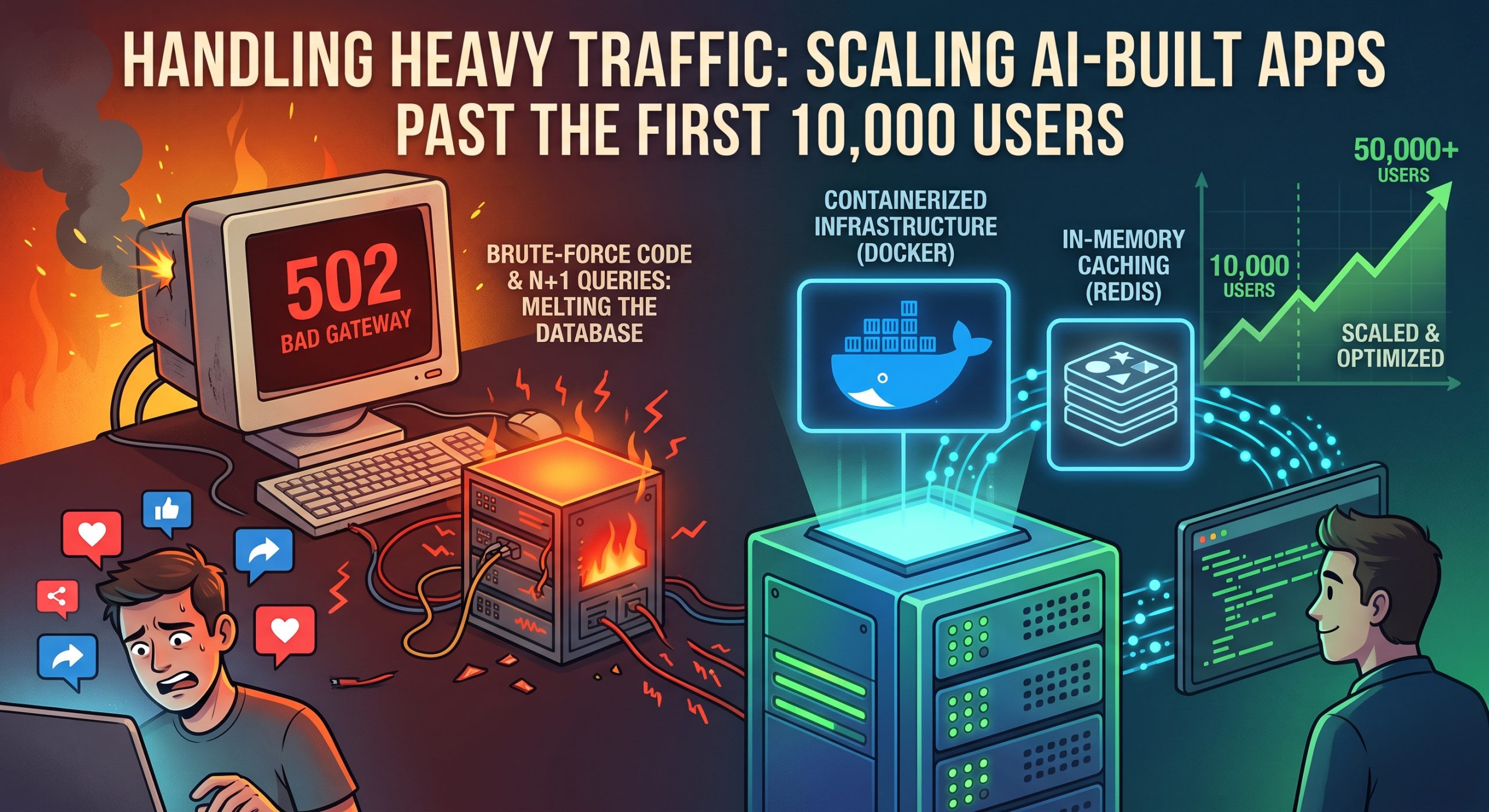
You launched your AI-generated application. It caught fire on social media. Thousands of users are flooding your site right now.
And then… it happens.
The dreaded 502 Bad Gateway error. Your database times out. Your server crashes.
Welcome to the “Day After Launch” reality.
Here is the truth about vibe coding: AI is incredible at writing functional code. But it is absolutely terrible at writing optimized code by default.
If you just tell an AI to build a feature, it will find the most direct, brute-force way to make it work. That is fine for your first 10 users. But when you hit 10,000? That brute-force code will literally melt your database.
Today, I’m going to show you exactly how to scale your AI-built application to handle massive traffic.
Let’s dive in.
Diagnosing and Fixing the N+1 Query Problem
If your AI-built app is crashing, I can almost guarantee I know why.
You have an N+1 query problem.
It is the single most common mistake autonomous coding agents make. And it is a silent killer.
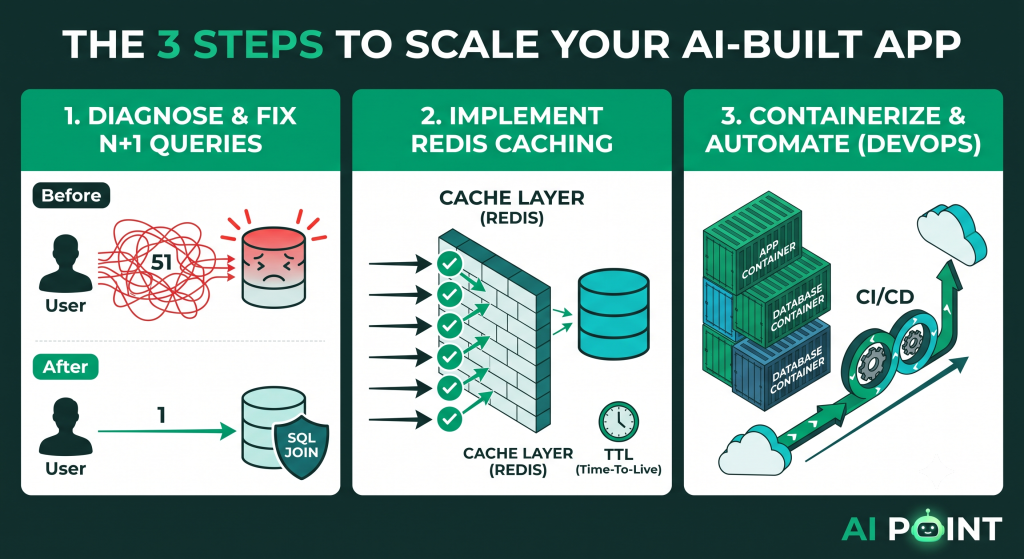
Here is how it works. Let’s say you have a feed that displays 50 user posts. For every post, you also want to display the author’s name and profile picture.
A smart human developer will write a single SQL JOIN query to fetch the posts and the authors at the exact same time. (1 query total).
But an AI? An AI will often write code that fetches the 50 posts first (1 query). And then, it will run a new database query inside a loop for every single author (50 queries).
Total database hits: 51.
That is N+1. Now multiply that by 10,000 concurrent users. You just hit your database 510,000 times to load one page.
Boom. Server crash.
To fix this, you have to explicitly prompt your AI to audit its own code. You cannot assume the AI will optimize queries automatically.
Open your codebase and feed the AI this exact prompt:
“Audit the data fetching logic in the
FeedController. Identify any N+1 query problems or database calls happening inside loops. Refactor the code to use SQL JOINs or ORM eager loading (e.g.,.populate()orinclude: {}) to ensure we hit the database a maximum of one time per request.”
When you force the AI to look for the N+1 problem, it finds it immediately.
Run this audit on every single endpoint that fetches lists of data. Your page load times will instantly drop from seconds to milliseconds.
Implementing Caching Layers
So you fixed your queries. Your database is breathing easier.
But what happens when your app goes truly viral?
Even perfectly optimized SQL queries will buckle if 50,000 people hit refresh at the exact same second.
You need a caching layer.
Instead of asking your database for the same information 50,000 times, you ask it once. You save the answer in temporary memory (like Redis). Then, you serve that memorized answer to the next 49,999 users.
But introducing Redis to an AI-built app can get messy if you aren’t clear.
You have to prompt the AI to implement caching gracefully, with strict Time-To-Live (TTL) limits so your users don’t see stale data.
Use this prompt:
“We need to reduce database load. Integrate Redis into the Node.js backend. Wrap the
getTrendingPostsendpoint in a caching layer. If the data exists in Redis, serve it immediately. If it does not, fetch it from PostgreSQL, save it to Redis with a 60-second TTL (Time-To-Live), and then return the response. Handle Redis connection errors gracefully without crashing the app.”
That last sentence is crucial.
If your Redis server temporarily goes down, you want the app to fall back to the primary database, not crash the entire platform.
Add caching to your heaviest read-heavy endpoints, and your app becomes practically bulletproof.
Infrastructure: From Shared Servers to Scalable Containers
Up until this point, we’ve been optimizing your code.
But while the initial build phase focuses on the codebase itself, scaling a production-ready platform requires shifting your AI prompts toward DevOps and infrastructure.
You cannot run a high-traffic marketplace or SaaS on a basic shared hosting plan.
You need containers. Specifically, Docker.
Docker packages your app and all its dependencies into a neat, standardized box. This allows you to deploy your app on AWS, Google Cloud, or DigitalOcean, and instantly spin up 10 identical copies of your server when traffic spikes.
The good news? AI agents are incredible at writing DevOps configuration files.
You just need to ask.
“Write a highly optimized
Dockerfilefor this Next.js and Node.js application. Use a lightweight Alpine Linux base image to keep the build size small. Implement a multi-stage build process to ensure development dependencies are not included in the final production image.”
Once your app is containerized, you need a way to deploy updates without taking the site offline.
This is where Continuous Integration and Continuous Deployment (CI/CD) comes in.
Prompt the AI to build your deployment pipeline:
“Generate a GitHub Actions workflow file (
.yml). Whenever code is pushed to themainbranch, the workflow should automatically: 1. Run all Jest tests. 2. Build the Docker image. 3. Push the image to Docker Hub. 4. SSH into our production server and restart the containers with zero downtime.”
With this infrastructure in place, you are no longer manually dragging and dropping files to a server. You have an enterprise-grade deployment pipeline.
Conclusion
Scaling an AI-built application is not a mystery.
It is a systematic process of identifying bottlenecks and prompting the AI to resolve them.
AI models are brilliant, but they are lazy. They will write unoptimized, N+1 query loops unless you explicitly tell them not to. They will hammer your primary database until you force them to integrate Redis caching.
Treat your AI like a lightning-fast junior developer. It can write the code in seconds, but you must provide the architectural oversight.
Run the N+1 audit prompt today. Containerize your application. And get your infrastructure ready before the massive traffic spikes hit.
