

Picture this.
You just nailed your backend architecture. Your PostgreSQL database is humming. Your API endpoints are perfectly structured.
Now, it is time to build the frontend.
You open up Claude or ChatGPT and ask it to generate a simple administrative login dashboard using Tailwind CSS and Shadcn UI.
You paste the code into your project. You hit save.
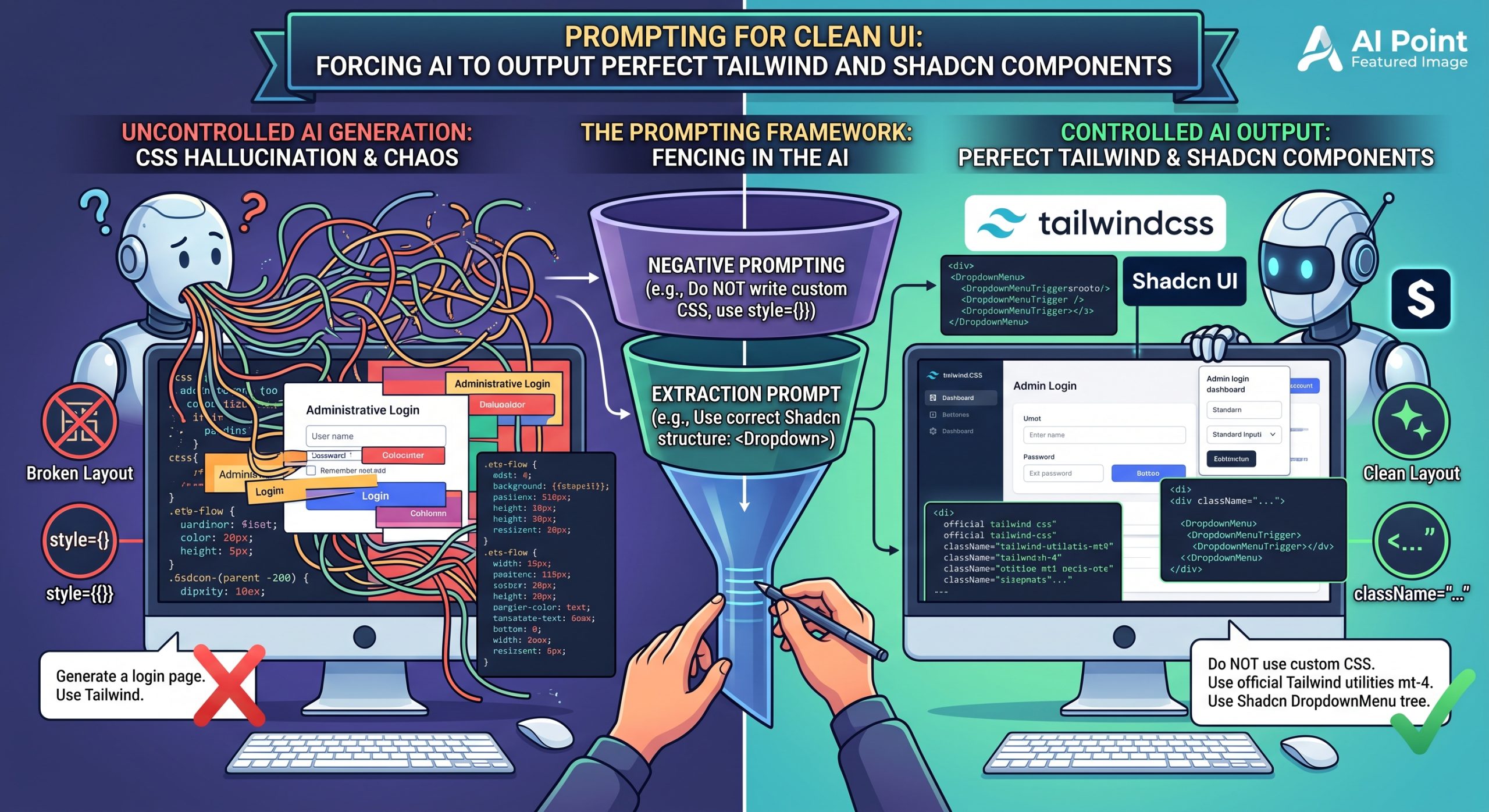
And your screen turns into a broken, unaligned disaster. The buttons are massive. The text is overlapping. And for some reason, the AI decided to write 400 lines of custom CSS instead of using Tailwind utility classes.
Here is the deal:
AI absolutely loves to hallucinate CSS.
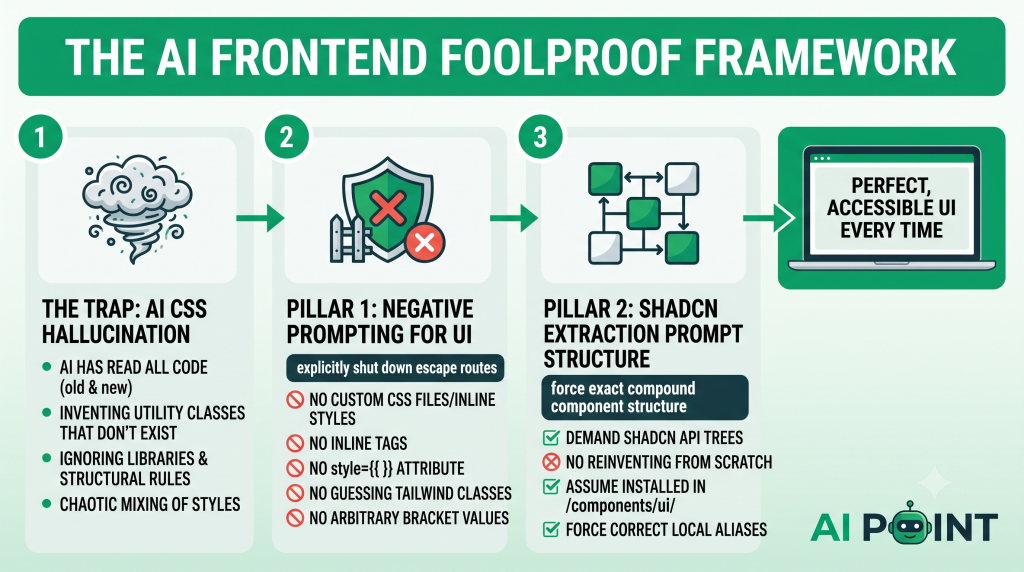
If you do not fence it in, an LLM will invent utility classes that do not exist, mix inline styles with global stylesheets, and completely ignore the component libraries you specifically asked it to use.
In this guide here at AI Point, I am going to show you a foolproof prompting framework. You are going to learn exactly how to lock the AI into official Tailwind classes and force it to output perfect, accessible Shadcn UI components every single time.
Let’s dive right in.
The Trap of AI-Generated CSS
To get perfect UI from an AI, you first have to understand why it fails so spectacularly.
Large Language Models have read almost every piece of code on the internet.
That sounds like a good thing, right?
Actually, it is a massive problem.
Because the AI has read code from 2010 using standard CSS, code from 2015 using BEM naming conventions, and code from 2023 using Tailwind.
When you ask it to build a UI, it panics and tries to use a little bit of everything.
Let’s say you are building a localized administrative login system for a custom fundraising web application like funds Daniel. You need a clean, secure-looking interface with a username input, a password field, and a submit button.
If you give the AI a generic prompt, it will likely output a horrific mix of inline styles (style={{ marginTop: '10px' }}) mixed with made-up Tailwind classes (className="margin-top-10px flex-center-all").
You can have perfect backend logic, but if your UI generation is chaotic, the whole project fails. This is why mastering architectural prompt engineering requires strict frontend boundaries.
If you let the AI write custom CSS, your app will become impossible to maintain.
So, how do we stop this? We use a technique called Negative Prompting.
The Magic of “Negative Prompting” for UI
Most developers try to coax the AI into writing good UI by giving it positive instructions.
“Please use Tailwind. Make it look nice and responsive.”
That does not work.
AI is a people pleaser. It will try to use Tailwind, but the moment it gets confused about how to center a div, it will instantly cheat and write custom CSS to force the layout to work.
To prevent this, you have to use Negative Prompting.
Instead of telling the AI what to do, you explicitly tell it what it is strictly forbidden from doing. You have to shut down its escape routes.
Whenever you are generating frontend code, you must append a strict “Negative Constraints” block to the bottom of your prompt.
Here are the top 3 negative constraints you must use for Tailwind CSS:
Tailwind UI Constraints: – Do NOT write any custom CSS in separate files or inline
<style>tags. – Do NOT use thestyle={{}}attribute in React under any circumstances. – Do NOT invent or guess Tailwind classes. You MUST only use official Tailwind v3+ utility classes. – Do NOT use arbitrary bracket values (e.g.,w-[32px]) unless absolutely necessary for a highly specific brand color. Use standard spacing scales (e.g.,w-8).
When you drop this block into your prompt, you instantly cut off the AI’s ability to hallucinate.
If it wants to add margin, it is mathematically forced to use mt-4 instead of breaking your stylesheet with custom code.
The result? Your UI renders perfectly on the very first try.
The Shadcn Extraction Prompt
Now that we have locked down our CSS with Tailwind, we need to tackle the components.
If you are a modern developer, you are probably using a headless UI library like Shadcn UI. It is incredibly popular because it gives you accessible, beautifully designed components (like dropdowns, modals, and accordions) that you copy directly into your codebase.
But AI struggles with Shadcn.
Why? Because Shadcn relies on a very specific API structure.
For example, a Shadcn <Select> component isn’t just one HTML tag. It is a complex tree of <SelectTrigger>, <SelectValue>, <SelectContent>, and <SelectItem>.
If you just tell the AI: “Build a dropdown menu using Shadcn,” it will almost always fail. It will try to build a standard HTML <select> tag and just slap Shadcn CSS classes onto it.
That completely breaks the accessibility and the functionality.
To force the AI to use the correct structure, you have to use the Shadcn Extraction Prompt.
When asking for a complex interactive component, you must explicitly demand the correct API tree.
Use this exact prompt formula:
Component Rules: – This UI requires a Data Table and a Dropdown Menu. – Do NOT build these from scratch using native HTML elements. – You MUST assume the standard Shadcn UI components are already installed in
@/components/ui/. – For the Dropdown, you MUST use the exact Shadcn compound component structure:<DropdownMenu>,<DropdownMenuTrigger>,<DropdownMenuContent>,<DropdownMenuItem>. – Ensure all imports point to the correct local aliases (e.g.,import { Button } from "@/components/ui/button").
Look at what this prompt achieves.
-
It stops the AI from reinventing the wheel.
-
It gives the AI the exact structural roadmap for the component.
-
It fixes the dreaded “import error” hallucination by telling the AI exactly where the components live in your file tree.
When you use this extraction prompt, the AI stops guessing. It simply acts as a fast-typing assistant, perfectly wiring up your Shadcn components with your Tailwind layouts.
Conclusion
Building a clean, responsive UI with AI doesn’t have to be a nightmare of broken flexboxes and hallucinated styling.
You just need to take control of the environment.
By utilizing strict Negative Prompting to ban custom CSS, and by enforcing exact component structures with the Shadcn Extraction Prompt, you can generate pixel-perfect frontends in seconds.
You save hours of debugging. Your codebase remains incredibly clean. And most importantly, your app actually looks the way you envisioned it.
Now I want to turn it over to you:
Which frontend framework or UI library do you struggle to get the AI to write correctly?
Are you constantly fighting with Tailwind classes, or does the AI always mess up your Shadcn imports?
Let me know by leaving a quick comment below right now.
