

You have seen the viral Twitter videos.
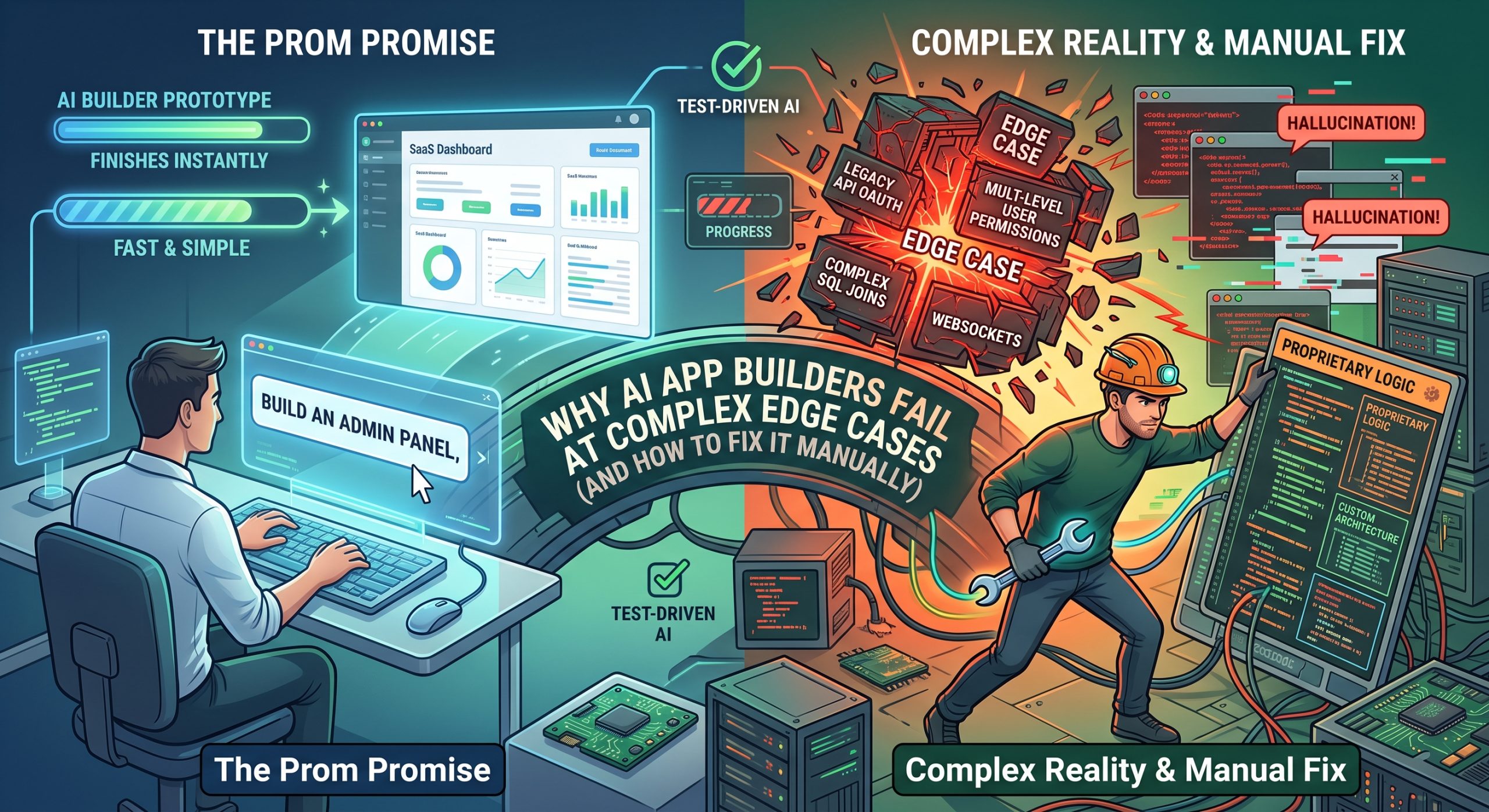
A developer types a single sentence into an AI builder. Ten seconds later, a fully functioning, beautiful CRM magically appears on the screen.
It looks flawless. It feels like the future.
But when you try to build your actual product using that exact same tool?
It falls flat on its face.
Sure, the AI can build a generic login screen. But the moment you ask it to integrate with your specific, custom-built backend? Or handle a unique, multi-level user permission system?
The AI completely loses its mind. It hallucinates. It confidently writes code that looks perfect but crashes your entire app.
Why does this happen?
Because AI app builders are incredible at standard, cookie-cutter features. But they fail spectacularly at complex, real-world edge cases.
In this post, I am going to show you exactly why AI fails at custom business logic—and more importantly, the exact manual strategies you can use to fix it.
Let’s dive in.
The “Average Case” Bias in Large Language Models
To fix the problem, you first need to understand the root cause.
Why does AI write such bad code for complex features?
It all comes down to how these Large Language Models (LLMs) are trained.
AI models like Claude, GPT-4, and the engines powering tools like Bolt.new are trained on millions of open-source GitHub repositories.
Think about what makes up the majority of those repositories.
Standard To-Do lists. Generic e-commerce templates. Basic SaaS dashboards.
Because the AI has seen a standard “user authentication form” a billion times, it can generate one for you in its sleep. It knows the “Average Case” perfectly.
But what about your specific app?
What if your app requires a custom SQL query that joins five different tables based on a highly specific, custom user-role hierarchy?
The AI hasn’t seen that a billion times. In fact, it has probably never seen it before.
So, what does the AI do?
It guesses.
It relies on its “Average Case” bias and tries to jam standard, generic logic into your highly specific problem. And it fails.
This is the harsh reality of AI-assisted development. AI builders are meant to get you from zero to one. They are not meant to architect complex, proprietary business logic.
Realizing this, and taking manual control over your core business logic, is the only way to escape the prototype trap.
You cannot prompt your way out of a highly specific architectural edge case. You have to take the wheel.
But before we cover how to fix these edge cases, let’s look at the specific features that almost always break AI builders.
Common Edge Cases That Break Generative UI
If you are building a real-world application, you are going to run into these three roadblocks. When you do, do not expect the AI builder to save you.
Edge Case 1: Custom OAuth Flows with Legacy APIs
Integrating a standard Google or GitHub login? The AI will nail it.
But what if you are building an app for the financial or healthcare sector, and you need to integrate a legacy API that uses a highly customized OAuth 2.0 handshake?
The AI builder will try to use a standard library like NextAuth. When that doesn’t work out of the box, it will start hallucinating fake API endpoints. It will write token refresh logic that loops infinitely.
It simply doesn’t have the context of the legacy API’s documentation to succeed.
Edge Case 2: Complex, Multi-Table Database Schema Joins
AI builders love flat data.
If you ask an AI to fetch a list of “Products,” it will write a beautiful, simple Prisma query to grab them.
But what if your query is complex?
Imagine you need to fetch a list of products, but only if the user’s subscription tier is “Pro,” and the product belongs to a category the user “Follows,” and the product hasn’t been flagged by an admin in the last 30 days.
If you prompt an AI builder to write that SQL or Prisma query, it will almost certainly miss a condition. Or worse, it will write a query that technically works but takes 15 seconds to load because it causes an N+1 fetching problem.
Edge Case 3: Real-Time Websocket Integrations
AI builders are optimized for standard HTTP requests. You click a button, you fetch data.
But when you introduce real-time functionality—like a live chat, a collaborative document editor, or real-time wallet balances—things get messy.
Websockets require managing active connections, handling dropped signals, and managing memory leaks. AI builders almost always fail to write proper cleanup functions (useEffect return statements in React) for websockets, which eventually crashes the browser.
Taking the Wheel: Manual Intervention Strategies
So, what do you do when you hit one of these edge cases?
Do you just give up on AI entirely?
Absolutely not. You just change your strategy.
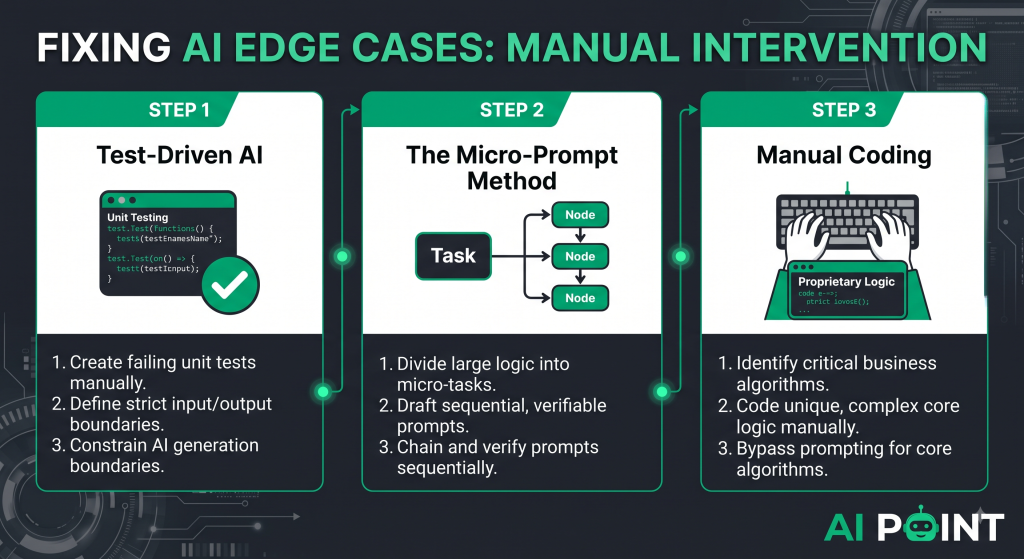
Instead of letting the AI builder try (and fail) to generate the whole feature, you need to use these three manual intervention techniques inside your local AI IDE.
Strategy 1: Write Failing Unit Tests First (Test-Driven AI)
This is the ultimate cheat code for complex business logic.
Instead of asking the AI to “write the payment calculator,” you write a unit test manually.
You explicitly define what the inputs are and what the exact output must be.
Example: expect(calculatePayment(100, 'PRO_USER')).toBe(80);
Once you have three or four rigorous tests written, you hand the file to Cursor or Windsurf and prompt: “Write the function to make these tests pass. Do not change the tests.”
By defining the exact boundaries, the AI stops guessing and starts solving.
Strategy 2: The Micro-Prompt Method
When an AI builder fails at a big task, break the task into micro-steps.
If you need a complex database join, do not ask for the whole feature.
Step 1: “Write the Prisma schema for the User and Product relationship.” Step 2: “Review this schema. Now, write a raw SQL query that fetches Products based on these three conditions…” Step 3: “Now, translate that raw SQL into a Prisma query.”
By forcing the AI to slow down and verify each micro-step, you eliminate hallucinations.
Strategy 3: Just Write the Code Yourself
Here is the truth that AI influencers don’t want to admit:
Sometimes, it is just faster to write the code yourself.
If you have spent 45 minutes tweaking a prompt to get the AI to fix a custom API route, you have already wasted time.
Identify your app’s core proprietary logic. The stuff that makes your app unique. Sit down, open your editor, and write that specific logic by hand.
Use AI for the boilerplate. Use your brain for the business logic.
Conclusion
AI app builders are powerful, but they are not magic.
They are trained on average data, which means they will always struggle with your app’s unique edge cases.
Stop expecting the AI to act like a senior software architect.
When you encounter complex database joins, custom OAuth flows, or real-time data streaming, step in. Write unit tests. Break your prompts down into micro-steps. Or simply write the complex logic yourself.
Once you master this balance between AI generation and manual intervention, your development speed will become truly unstoppable.
