

Let’s be honest.
Most mobile applications feel flat.
You swipe, you tap, you read text on a screen, or you watch static videos. It is functional, but it is entirely transactional.
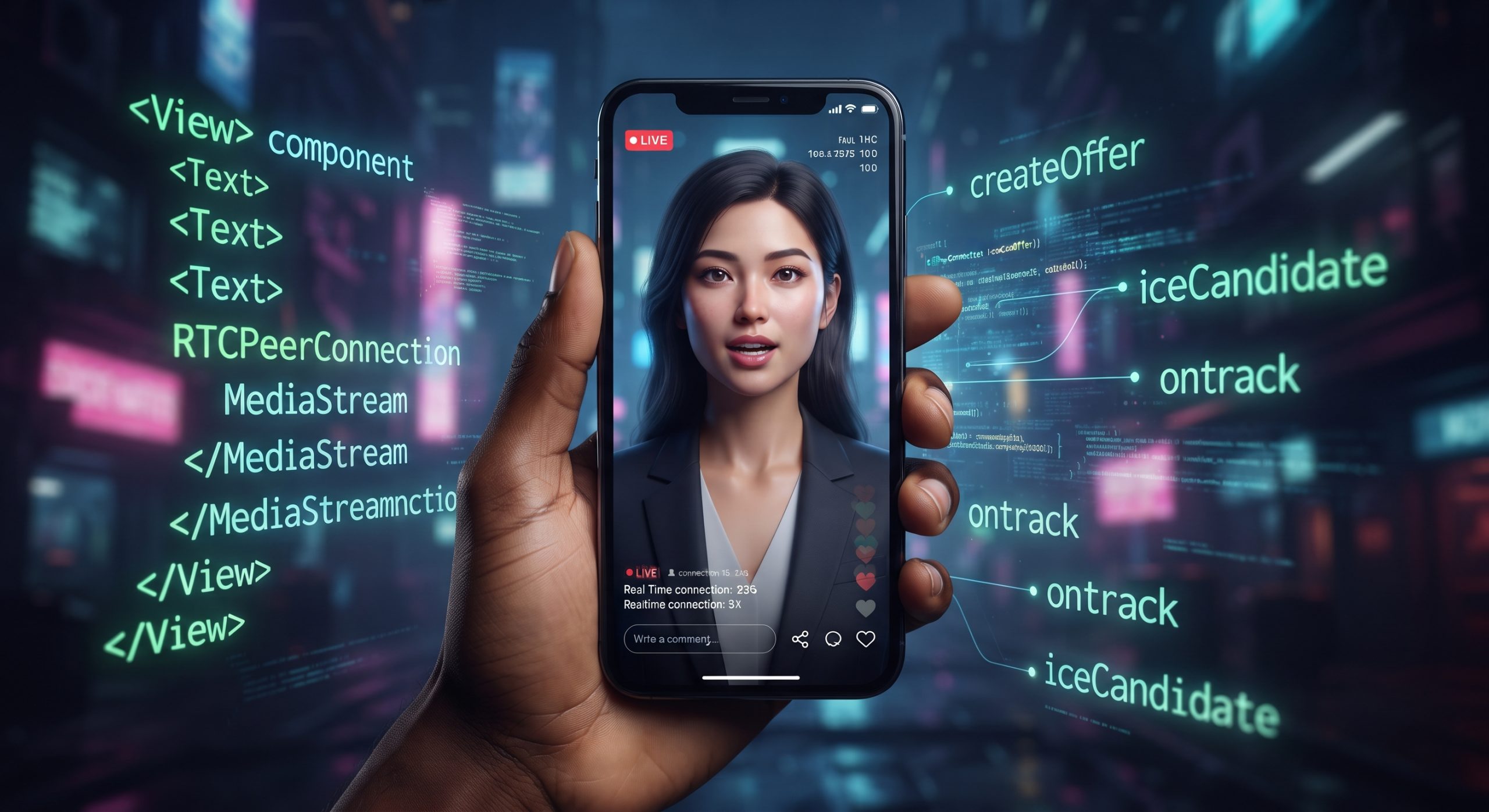
Now, imagine opening a fitness app where an AI personal trainer greets you by name, demonstrates a workout, and talks to you with real-time lip-syncing. Or a language-learning app featuring an interactive digital tutor that speaks natively right inside your pocket.
Consumer expectations have changed. Users want conversational, human-centric interfaces on their phones.
If you are a mobile developer, bridging the gap between heavy generative AI models and resource-constrained smartphones is your next big challenge.
In this guide, you are going to learn how to integrate AI avatars and lip-syncing technologies into iOS and Android applications without crashing your users’ devices or draining their batteries.
Let’s dive right in.
Introduction: The Rise of Mobile-First AI Avatars
Mobile apps are the ultimate frontier for AI media.
While running complex language models or video renderers on a desktop browser is straightforward, packing that same power into a mobile phone requires a completely different engineering approach.
Consumers no longer want passive media consumption; they want interactive, face-to-face AI companions, smart customer service avatars, and personalized video feeds.
Mobile constraints mean you must build a highly efficient programmable media pipeline that handles the heavy video and audio rendering on the cloud, leaving your mobile client lightweight and responsive.
Once you establish that server-client boundary, you can deliver cinematic AI experiences right to the palm of a user’s hand.
The Mobile Architecture Challenge: Cloud vs. Device
Here is the hard truth about mobile AI development:
You cannot run heavy video generation models on a smartphone.
If you attempt to run deep-learning face-mapping or real-time neural lip-syncing models directly on an iPhone or Android processor, two things will happen instantly:
-
The app will crash due to out-of-memory errors.
-
The user’s phone will get hot, and their battery will drain in less than ten minutes.
Instead, you need to design a decoupled cloud-mobile architecture.
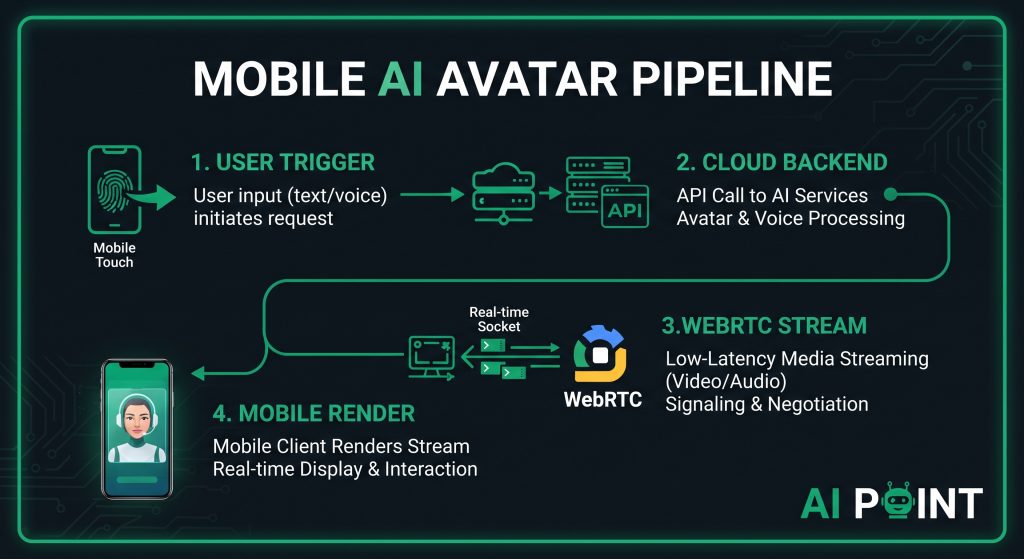
Your mobile application acts as the presentation layer. When a user interacts with the app (like typing a message or triggering a profile action), the mobile client fires an HTTP request or WebSocket event to your backend server (built on Node.js, Python, or a serverless function).
Your backend communicates with the heavy third-party avatar and voice APIs, handles the rendering, and sends back lightweight media payloads.
This client-server separation keeps your mobile app snappy, fast, and crash-free.
Handling Video Streams via WebRTC and Low-Latency Sockets
So, how do you actually display a talking avatar inside a mobile app without making users wait five minutes for an MP4 to download?
Traditional asynchronous video generation is too slow for real-time mobile interactivity. If a user asks a question, they expect an answer immediately.
This is where WebRTC (Web Real-Time Communication) and streaming protocols come in.
Instead of waiting for a fully rendered file, advanced avatar APIs allow you to stream video frames directly to the client over low-latency socket connections.
Here is how you orchestrate it in your mobile frontend (whether using React Native, Flutter, or native Swift/Kotlin):
-
Establish the Socket Connection: Open a secure WebSocket connection from the mobile app to your backend signaling server when the interactive avatar session begins.
-
Receive the Stream: Bind a WebRTC video renderer component inside your mobile view hierarchy to capture and display the incoming real-time video frames.
-
Send Audio/Text Triggers: Pass user inputs from the mobile UI to your server, which feeds them into the streaming avatar API.
By utilizing WebRTC instead of standard MP4 downloads, you drop your response latency down to sub-second levels, creating a true face-to-face conversational experience.
Optimizing UI/UX for Avatar Interactions on Mobile Screens
Mobile screens are small, and network conditions are unpredictable.
Even with the best backend architecture, a user might walk into a subway tunnel and lose cellular connection for ten seconds. If your app UI isn’t designed to handle network drops, your avatar integration will feel broken.
Here are three UI/UX best practices for mobile AI avatars:
-
Pre-Load Idle Loops: While your server is processing a request or waiting for an API response, do not leave the screen frozen. Play a seamless, looping idle animation of the avatar blinking or breathing so the interface feels alive.
-
Graceful Fallbacks: If the network drops or the WebRTC stream disconnects, automatically catch the error state in your mobile code and display a clean fallback UI (such as text chat mode or a retry button) instead of an infinite loading spinner.
-
Manage Memory Leaks: Video streaming components consume significant RAM on mobile devices. Ensure you explicitly unmount video renderers, close socket connections, and clear cache buffers when the user navigates away from the avatar screen.
Protecting your app’s performance ensures a smooth user experience, even when dealing with resource-heavy media streams.
Conclusion
Integrating AI lip-syncing and digital avatars into mobile applications is no longer science fiction—it is happening right now across gaming, education, and social tech.
By understanding the hardware limitations of smartphones, offloading heavy processing to a robust cloud architecture, leveraging WebRTC streaming, and optimizing your mobile UI/UX, you can build immersive applications that stand out in the app store.
The mobile web is shifting toward interactive, AI-driven video.
It is time to take your backend pipelines, connect them to your mobile frontend, and bring your app to life.
