

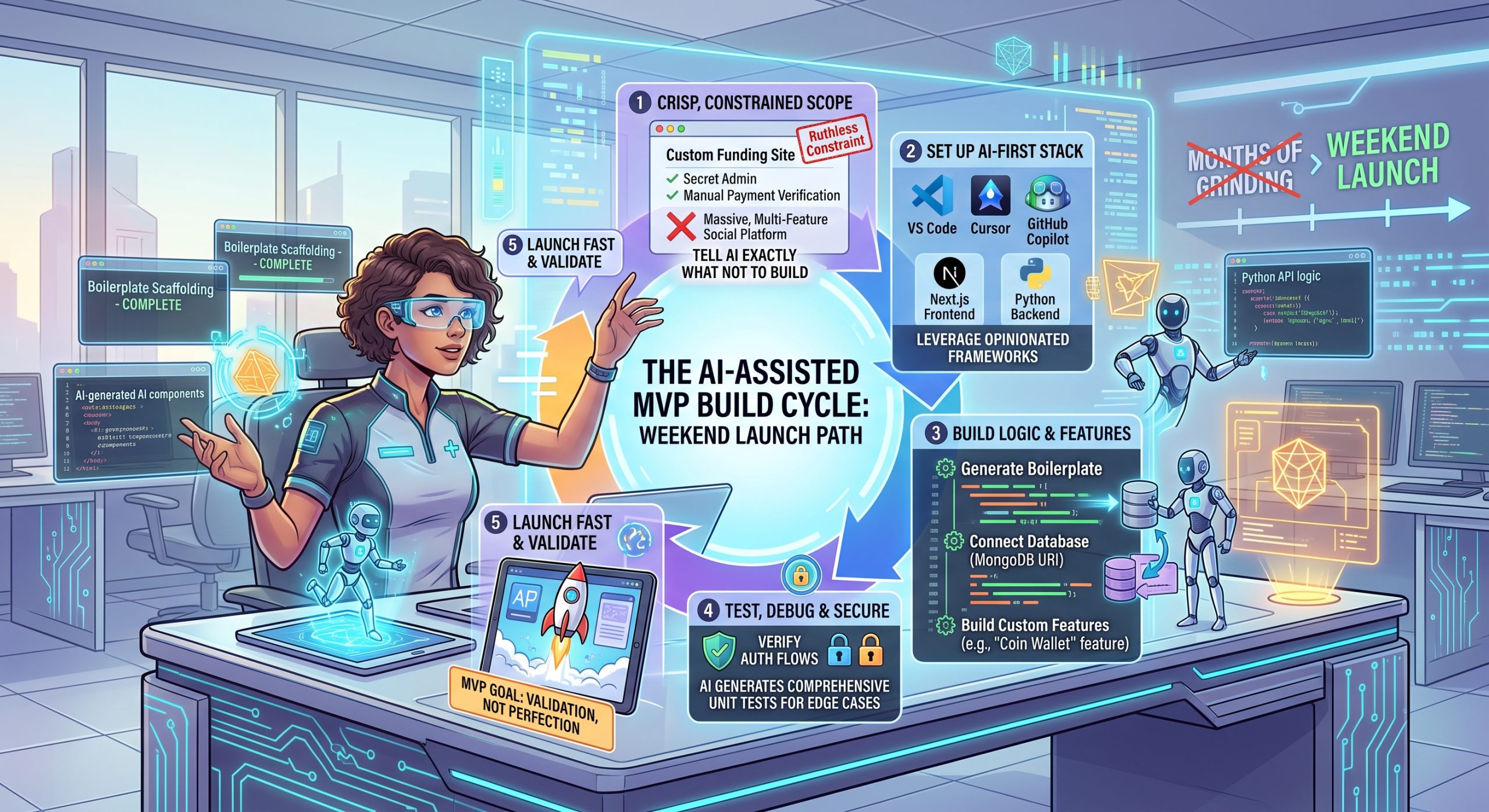
Building an MVP used to take months of grinding.
You had to write endless lines of boilerplate code before you even saw a functional button.
Today? That timeline is dead.
A single full-stack developer armed with the right AI code assistant can spin up a fully functional web app in a single weekend.
Welcome to building in 2026.
It is no longer about writing every single line of syntax from scratch. It is about acting as a director. You tell the AI to scaffold the architecture, and you spend your time focusing entirely on your unique business logic.
Using an AI code assistant to ship your MVP is one of the highest-leverage skills you can build today. To see where this fits into the broader 2026 tech stack, check out our ultimate guide to AI-assisted software development.
Ready to launch your app fast?
Let’s get into it.

Defining Your MVP Scope (So the AI Doesn’t Hallucinate)
Here is a trap almost everyone falls into:
AI makes it too easy to add features.
If you ask your coding assistant to “build a social network,” it will completely lose its mind. It will try to build chat systems, notification algorithms, and video streaming all at once. It will hallucinate. And your code will break.
The secret to success? Ruthless constraint.
You have to box the AI in.
Instead of asking it to build a massive automated financial platform, scope your MVP down to something highly specific.
For example: a custom funding site with a secret admin login and a manual payment verification system.
By excluding complicated automated payment gateways for your first version, you keep the AI focused. The prompting rule here is simple: crisp, constrained requirements lead to cleaner, bug-free code generation.
Tell it exactly what not to build, and it will nail the features you actually need.
Setting Up the AI-Assisted Stack
Before you write a single prompt, you need the right tools.
You have two main paths in 2026.
First, you can use native IDE extensions. Think GitHub Copilot running inside VS Code. This is great if you want the AI to act as a brilliant co-author while you maintain total control of the environment.
Second, you can use AI-first editors like Cursor. These tools can read your entire codebase at once and execute massive multi-file rewrites.
But tools are only half the equation. You also need the right stack.
AI models are trained on millions of public repositories. This means they perform incredibly well with highly structured, opinionated frameworks.
Pairing a Next.js frontend with a Python backend is a match made in heaven for AI assistants. Because these technologies have strict, well-documented patterns, the AI knows exactly how to structure your routing, API calls, and components without you having to explain the basics.
The Build Phase: Step-by-Step Execution
Alright, let’s actually build this thing.
Step 1: Scaffolding and Boilerplate
Start broad. Ask your assistant to generate the initial file structure, set up your routing, and lay out your basic UI components. Let the AI do the tedious setup work.
Step 2: Core Logic and Database Connections
Next, move to the backend. Ask the AI to write your database schemas.
A quick heads-up: this is where things often break. A common pitfall is database connection errors. If your VS Code terminal throws a MongoDB URI string error, don’t panic. Just copy the error, paste it back to the AI, and ask it to fix its own environment variables. It usually spots the typo instantly.
Step 3: Building Custom Features
Now for the fun part. Let’s say you are building a social app.
Instead of relying on clunky pre-built plugins, tell the AI to build exactly what you want. For example, instruct it to build a custom “coin wallet” where users buy and store digital tokens to spend on engagement, rather than dealing with direct monetary friction on every post.
While Copilot is great for auto-completing this logic, the workflow completely shifts when you hand the entire repository over to an AI. Read more about that shift in our breakdown on transitioning from prompt engineering to autonomous agents.
Testing, Debugging, and Security
Let me be clear about something.
AI writes incredibly fast code. It does not always write secure code.
This is the verification step, and you cannot skip it.
When you use AI to build custom auth flows or secret admin panels, you have to review the output line by line. AI models will sometimes leave endpoints unprotected or expose sensitive data if you don’t explicitly tell them to lock it down.
Here’s the good news:
You can use the AI to test itself.
Once your feature is working, highlight the exact code block and prompt the assistant: “Write comprehensive unit tests for this specific logic, focusing on edge cases and security vulnerabilities.”
It will instantly generate the tests needed to bulletproof your MVP.
Conclusion
An MVP’s goal is validation, not perfection.
AI code assistants are the ultimate tool for getting your idea out of your head, into your IDE, and live in the browser in record time.
Your next step? Open your editor, initiate a new project, and have your AI generate the scaffolding for your biggest app idea today.
