

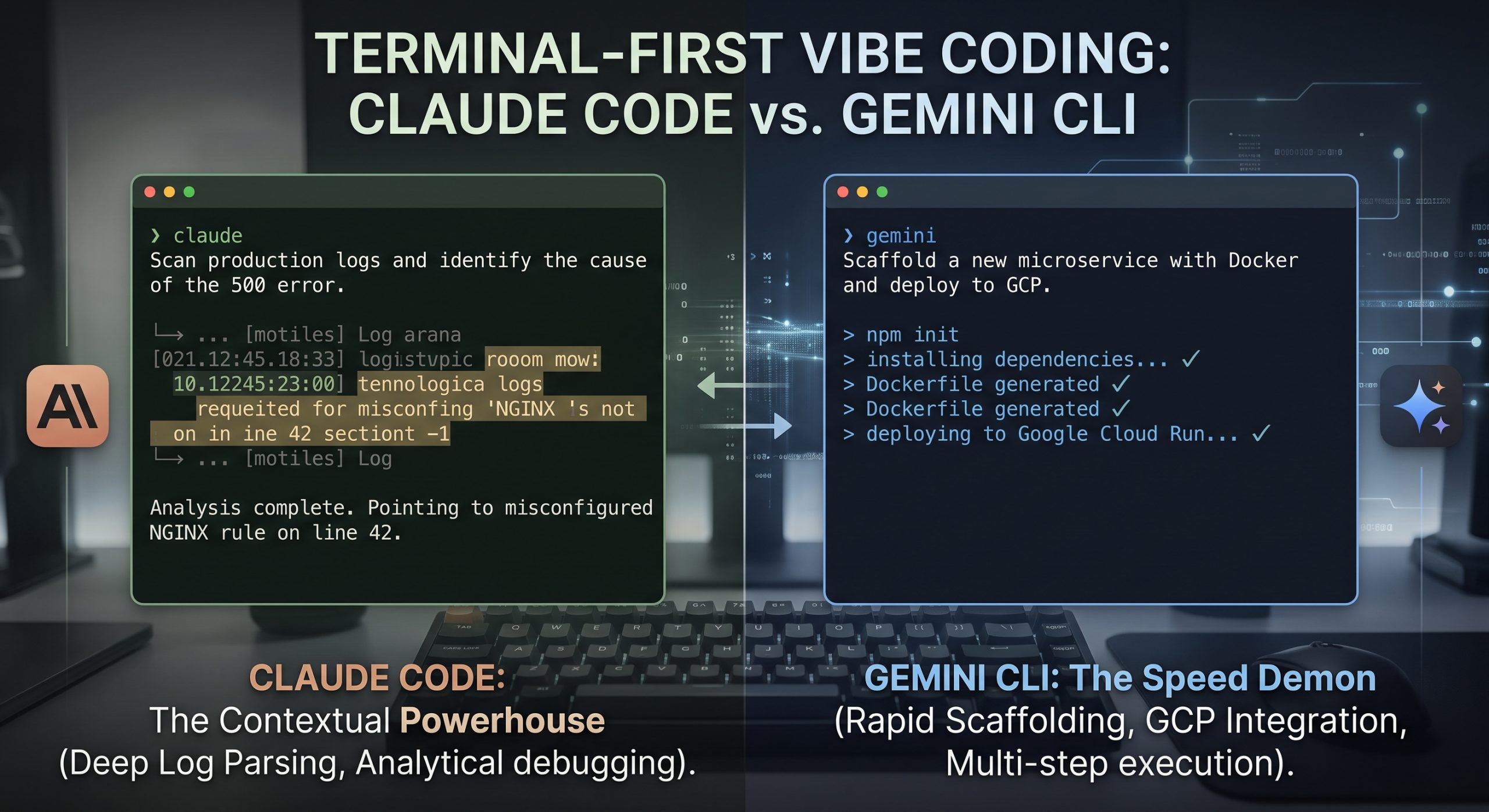
Graphical user interfaces are fantastic for visual design.
But if you are a senior backend developer, a DevOps engineer, or a platform architect, you know the absolute truth: the terminal is where the real work actually gets done.
Clicking around a heavy, bloated editor slows you down. Switching windows breaks your focus. You want to stay glued to your keyboard and execute commands at the speed of thought.
Welcome to the era of “vibe coding.”
Vibe coding is the massive 2026 engineering trend of iterating rapidly through natural language directly inside your command line. Instead of painstakingly typing out complex bash scripts, you simply tell an AI what you want to achieve, and it executes the underlying commands perfectly.
Today, two massive players are fighting for dominance in your terminal: Claude Code and Gemini CLI.
Which headless agent actually deserves a spot in your daily workflow? Let’s dive right into the technical breakdown.
The Rise of Headless Agents
Let’s be honest.
Writing boilerplate configuration files is the worst part of software engineering. Setting up Docker networks, configuring NGINX routing, and parsing obscure system logs drains your mental energy.
Enter the headless agent.
Unlike standard AI coding assistants that live inside a side panel of your code editor, headless agents live natively in your shell environment. You give them direct command-line access. They can scaffold databases, manage git branches, and execute bash scripts autonomously.
They do not just generate code snippets. They actually run the commands, read the subsequent terminal outputs, and self-correct if they hit a wall.
While IDEs are great for visual work, the real speed comes from terminal-first CLI agents, which we identified as a crucial Tier 2 technology in our 2026 developer toolkit.
When you remove the friction of a graphical interface, your engineering velocity skyrockets. But to achieve that speed, you need a foundation model that truly understands complex system architecture.
Claude Code: The Contextual Powerhouse
First up, we have Claude Code from Anthropic.
If there is one word to describe Claude’s terminal agent, it is context.
Anthropic built this CLI tool specifically to handle incredibly dense, highly complex system logic. It utilizes a massive context window to read deeply into your local environment before executing a single command.
Here is where Claude Code absolutely dominates:
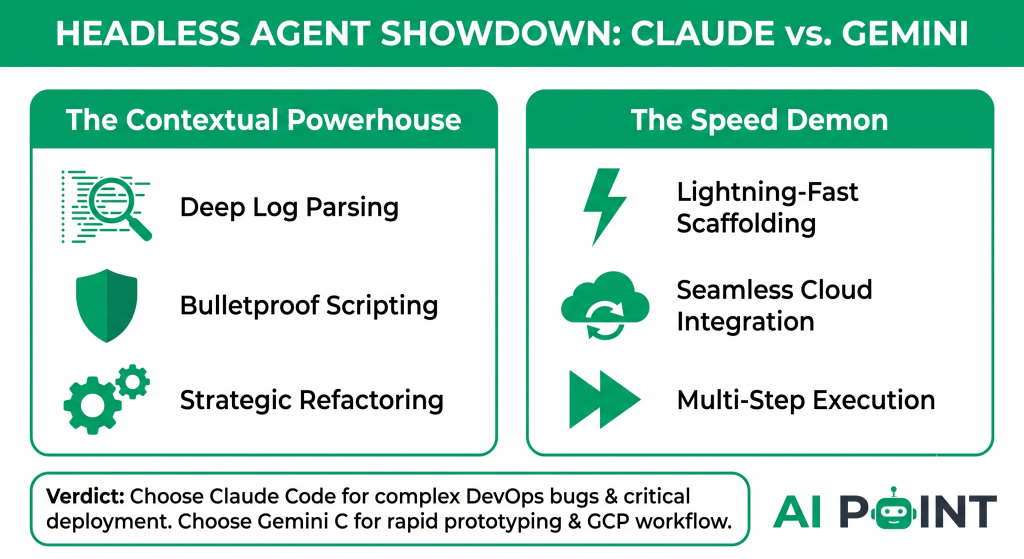
1. Deep Log Parsing Have you ever stared at a massive, encrypted AWS error log for two hours trying to find a single routing misconfiguration? Claude Code excels at this. You can pipe a 10,000-line error log directly into the agent, and it will pinpoint the exact misconfigured port in seconds.
2. Bulletproof Bash Scripting Writing bash scripts from scratch is notoriously prone to syntax errors. Claude Code writes incredibly robust, edge-case-tested bash scripts. More importantly, if a script fails during execution, Claude immediately reads the stderr output, rewrites the broken function, and tries again.
3. Strategic Refactoring Claude is naturally cautious. Before executing a destructive command (like dropping a database table or force-pushing to a critical branch), it pauses and explicitly outlines its reasoning to the developer.
If you are managing complex infrastructure or debugging massive system failures, Claude Code is a highly analytical, deeply contextual powerhouse.
Gemini CLI: The Speed Demon
Next up is Google’s Gemini CLI.
If Claude is the cautious analyst, Gemini CLI is the absolute speed demon.
Google engineered this headless agent for raw, unadulterated execution speed. When you hit enter on a prompt, the latency is practically nonexistent. It feels like you are interacting with a local binary rather than a cloud-hosted LLM.
Here is where the Gemini CLI truly shines:
1. Lightning-Fast Scaffolding Need to spin up a completely new microservice? You can prompt Gemini CLI to “scaffold a highly available Node.js REST API with a PostgreSQL connection pool and Redis caching.” Within milliseconds, it generates the file structure, installs the precise npm packages, and configures the environment variables.
2. Seamless Cloud Integration Unsurprisingly, Gemini CLI is the ultimate weapon if you operate within the Google Cloud ecosystem. It natively understands GCP command-line tools. You can instruct it to provision new Kubernetes clusters or manage IAM permissions using simple conversational English.
3. Multi-Step Execution Gemini excels at chaining simple commands together rapidly. It can compile a binary, run a unit test, commit the changes to Git, and push to a remote repository in one fluid, automated sweep.
If your daily workflow involves rapid prototyping, continuous scaffolding, and raw speed, Gemini CLI is untouchable.
Real-World Test: Scaffolding a Microservice
Theory is great. But how do these tools perform in the trenches?
We ran a direct, side-by-side test. We opened two terminal windows and gave both agents the exact same prompt:
“Initialize a new Express.js server in TypeScript. Configure a Dockerfile for production. Set up a basic health-check endpoint.”
The Results:
-
Gemini CLI took off like a rocket. It executed the
npm init, installed the TypeScript dependencies, generated the Dockerfile, and started the server in just 4.2 seconds. It was a masterclass in raw speed. -
Claude Code took slightly longer—clocking in at 7.8 seconds. However, Claude automatically noticed that the default Node port (3000) was already in use on our test machine, autonomously rewrote the environment variable to use port 8080, and successfully launched the container.
Gemini won the speed race. Claude won the reliability race.
Final Verdict
So, which terminal agent should you install for your daily vibe coding?
The choice comes down to your primary engineering role.
-
Choose Claude Code if: You are a senior DevOps engineer hunting down complex server bugs, parsing massive log files, or writing highly critical deployment scripts. Its reasoning capabilities and safety checks are unparalleled.
-
Choose Gemini CLI if: You are a full-stack developer who needs to rapidly scaffold new projects, chain continuous integration commands, or deploy directly to Google Cloud. Its raw execution speed will save you hours every single week.
Drop the GUI, open your terminal, and start coding at the speed of thought.
