

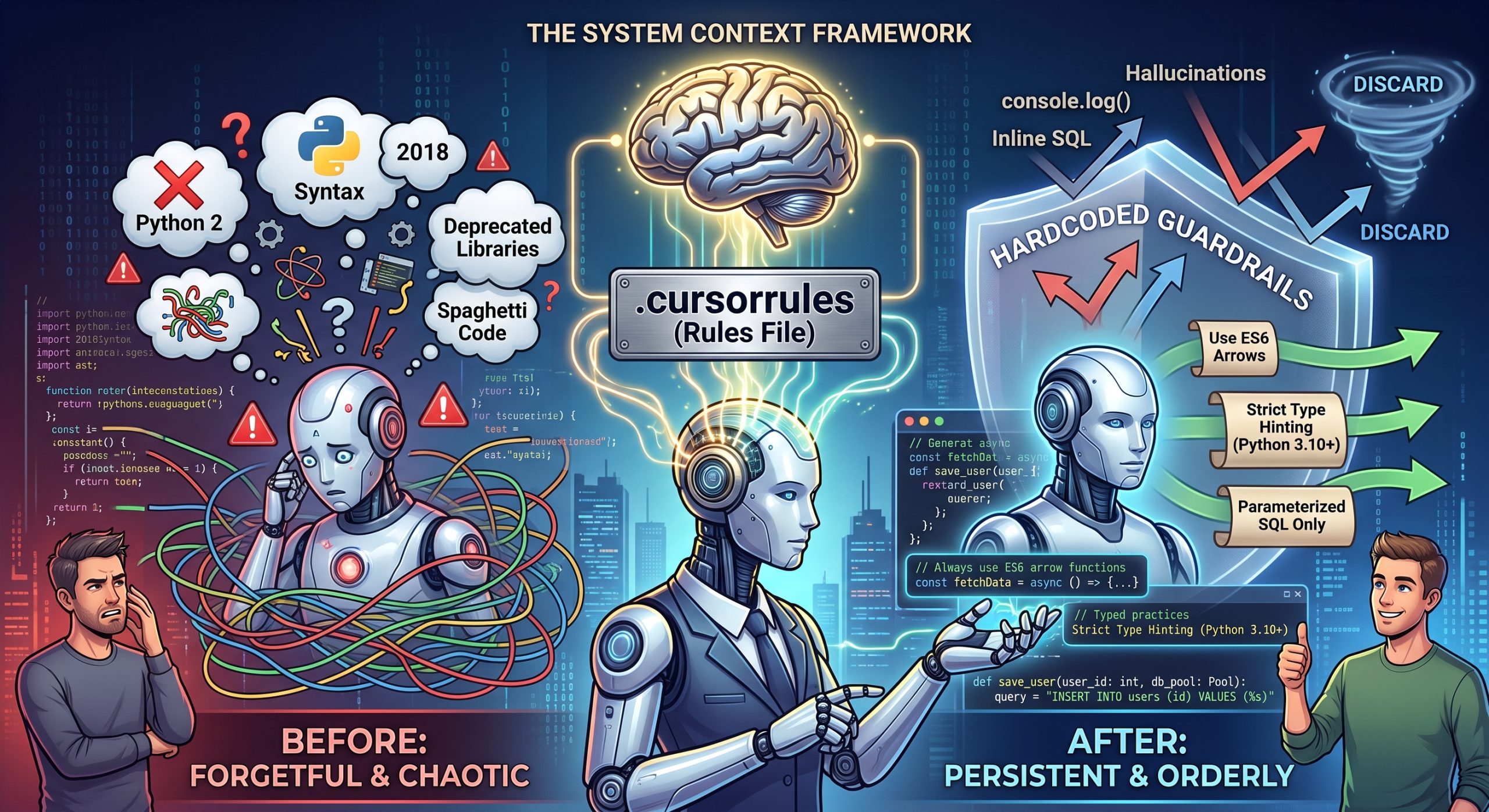
Have you ever been five prompts deep into a coding session, only for your AI assistant to completely forget your tech stack?
One minute it’s writing flawless ES6 JavaScript.
The next? It’s importing deprecated Python libraries, changing your folder structure, and hallucinating syntax from 2018.
It is incredibly frustrating. You end up spending more time fixing the AI’s mistakes than you would have spent just writing the code yourself.
Here is the deal:
The problem isn’t the AI. The problem is that your AI lacks a persistent memory.
But what if you could give your AI a “brain” that never forgets your project’s rules? A set of unbreakable guardrails that it reads every single time you hit enter?
You can. And it’s done using a .cursorrules file.
In this guide, I am going to show you exactly how to write a system context file that forces your AI to output production-ready code, every single time.
Let’s dive in.
Why Your AI Needs a “Brain” (The Context Problem)
To understand why a .cursorrules file is so powerful, you first have to understand how LLMs actually work.
Out of the box, AI models like Claude or GPT-4 operate in a vacuum.
When you start a new chat or a new coding session, the AI has zero context about you, your project, or your preferred architecture. It just relies on its broad training data.
So, if you ask it to “create a database connection,” it doesn’t know if you want a lightweight SQLite setup or a robust, scalable PostgreSQL pool. It just guesses.
And when building software, guessing leads to spaghetti code.
Enter the rules file.
A rules file (like .cursorrules in modern AI IDEs) is a hidden configuration file that sits in the root directory of your project.
Think of it as a persistent system prompt. It is a set of hardcoded instructions that the AI is forced to read silently before it executes any task in your workspace.
When you set this up correctly, the AI never has to guess again. It knows your stack. It knows your styling preferences. It knows exactly how to handle errors.
Setting up this file is step one, but if you want to see how this fits into a complete, full-stack build strategy, read my definitive guide on advanced prompt engineering for software architecture.
Now, let’s look at exactly what needs to go inside this file.
The Anatomy of a Perfect .cursorrules File
Writing a rules file isn’t about listing generic advice like “write good code.”
To get actual results, your rules file needs to act like a strict Senior Developer reviewing a pull request. It needs to be hyper-specific.
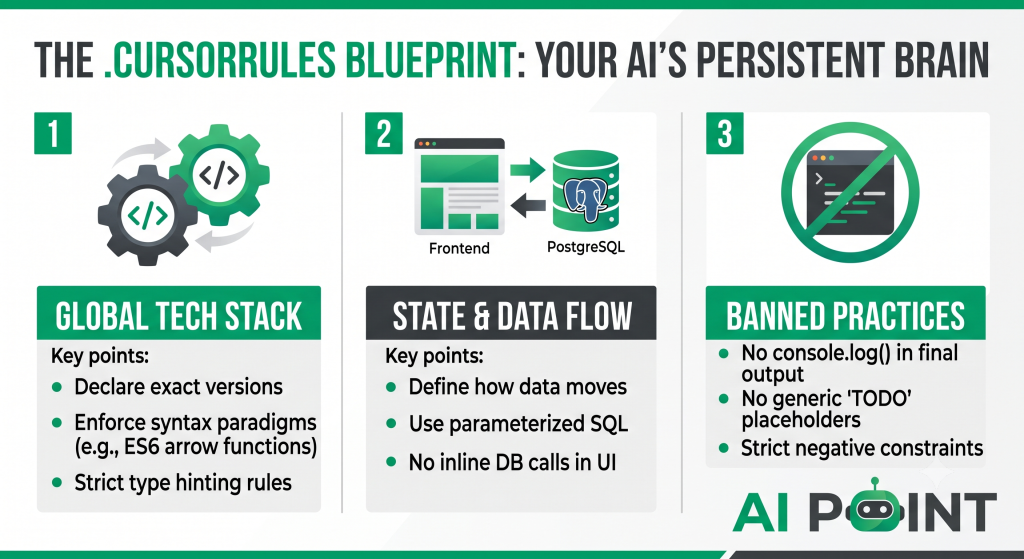
A perfect .cursorrules file always contains these three non-negotiable sections:
1. Global Tech Stack & Syntax Rules This is where you lock in your exact stack. You don’t just say “we use Python and JavaScript.” You declare the exact versions and the specific syntax paradigms the AI must follow.
-
Example: “Always use ES6 arrow functions. Never use
var. Use Python 3.10+ type hinting strictly.”
2. State Management & Data Flow AI loves to invent new ways to pass data around your app. If you don’t constrain it, it will use three different state management libraries in the same project. You need to explicitly tell it how data moves from your frontend to your PostgreSQL database.
-
Example: “All database queries must use parameterized SQL to prevent injection. Never write inline database calls within UI components.”
3. Banned Practices (Negative Constraints) This is the most important part of the file.
AI is inherently a “people pleaser.” It wants to give you code quickly, which often means taking shortcuts. You have to explicitly ban those shortcuts. We call this “Negative Prompting.”
Instead of telling the AI what to do, you tell it what it is strictly forbidden from doing.
-
Example: “Do NOT leave
console.log()statements in the final output. Do NOT write custom CSS classes if a utility class already exists. Do NOT use placeholder text like ‘TODO’—write the actual logic.”
When you combine these three sections, you create an unbreakable fence around the AI.
The Copy-Paste AI Point Rules Template
Now for the best part.
You don’t have to write this file from scratch.
I’ve engineered a baseline template that works perfectly for modern, full-stack web development. Whether you are spinning up a React frontend or building a backend with Python and PostgreSQL, this template will instantly upgrade your AI’s output.
All you have to do is create a file named .cursorrules in the root folder of your project, and paste this in:
