


You’ve built your vector database. You’ve optimized your chunking strategy. Your retrieval pipeline is pulling clean, relevant documents.
Then you test your chatbot.
And it looks you dead in the eyes and completely makes up a feature that doesn’t exist.
Welcome to the most frustrating part of AI engineering: hallucinations.
Large Language Models are master liars because they are designed to be creative. They want to predict the next most likely word, even if that word is a fabricated lie.
If you want to use AI in production, hope is not a strategy. You need strict guardrails.
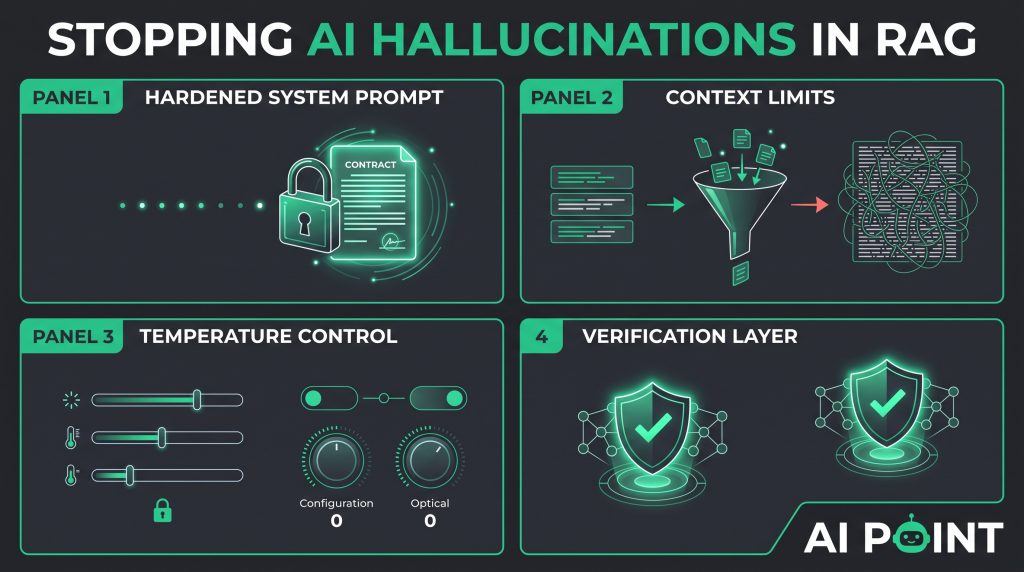
Here is how to lock down your context windows and stop hallucinations in their tracks.
Why Do AI Models Hallucinate?
To fix hallucinations, you have to understand why they happen in the first place.
Most developers treat LLMs like a database query engine. They assume that if data is passed into the prompt, the model will treat it as absolute, unalterable truth.
That is not how LLMs work.
An LLM is a probabilistic text-completion engine. Its primary directive is to finish the conversation smoothly, grammatically, and helpfully.
If your retrieval system pulls ambiguous documents—or worse, if it pulls no relevant documents at all—the LLM faces a blank space.
Instead of freezing or stopping, its neural network default kicks in: it dips into its massive pre-trained memory bank and fills in the blanks with whatever sounds statistically plausible.
If it doesn’t know the answer to your company’s private API schema, it won’t say “I don’t know.” It will invent an API endpoint that looks convincing enough to pass code review until it crashes your server.
You have to override that creative instinct.
Locking Down the System Prompt
Your system prompt is your first and most powerful line of defense against hallucinations.
When you are engineering custom AI knowledge bases with RAG, your system prompt cannot just be a polite suggestion. It has to act like a strict legal contract between your backend and the LLM.
Look at the difference.
The Weak Prompt:
“Answer the user’s question using the provided context. Be helpful.”
Why it fails: The model treats the context as optional background info. If it remembers something cooler from its training data, it will use that instead.
The Hardened Production Prompt:
“You are an automated technical documentation assistant.
CRITICAL RULES:
You must base your answer EXCLUSIVELY on the facts provided in the Context section below.
Do not use any external knowledge, assumptions, or prior training data.
If the answer cannot be found explicitly within the provided context, you must reply with verbatim text: ‘I am sorry, but I cannot find that information in the provided documentation.’
Never invent code snippets, function names, or parameters.”
Notice how rigid that is?
By stripping away the model’s permission to guess, you force it to switch from a creative writer mode to a strict data-synthesis mode. If the context doesn’t have the answer, it stops right there.
Managing Context Window Limits
Here is a counter-intuitive trap that catches a lot of developers: context stuffing.
Some engineers think, “If a little context is good, a massive wall of context must be better!”
They retrieve 20 different chunks from the database, dump 15,000 tokens into the prompt, and assume the AI will figure it out.
That actually increases hallucinations.
AI models suffer from a phenomenon known as “Lost in the Middle.” When you give an LLM a massive context window, it pays strong attention to the beginning and the end of the prompt, but it glosses over the details buried right in the center.
If your crucial piece of documentation is sitting quietly in paragraph 14 of a massive prompt dump, the model will likely miss it and resort to hallucinating.
The Fix:
-
Be aggressive with your retrieval limits. Pull only the top 3 to 5 highest-scoring chunks.
-
Keep your context lean, highly relevant, and targeted directly at the user’s core question.
Tweaking Temperature and Top-P Parameters
Software configuration matters just as much as prompt text.
When you make an API call to OpenAI, Anthropic, or an open-source model, you have control over generation parameters like Temperature and Top-P.
If you are building a creative writing app, you crank the temperature up to 0.8 or 1.0. You want wild, unpredictable, creative outputs.
For a RAG knowledge base app, that is a disaster.
-
Temperature: Set this to
0or0.1. A low temperature forces the model to pick the most mathematically deterministic, predictable next word every single time. It completely squashes creative flights of fancy. -
Top-P (Nucleus Sampling): Lower this parameter to restrict the model’s vocabulary choices to only the highest-probability tokens.
By pairing a low temperature with a hardened system prompt, you lock down the generation layer so tightly that unauthorized hallucinations become virtually impossible.
Conclusion: Trust but Verify
Eliminating hallucinations is not about finding a single magic bullet. It is about layering defenses.
Combine clean chunking, a strict system prompt, lean context windows, and a temperature of zero.
When you stack these guardrails together, your AI stops guessing and starts acting like the reliable, authoritative assistant your users expect.
Lock down your generation layer, and build with confidence.
