

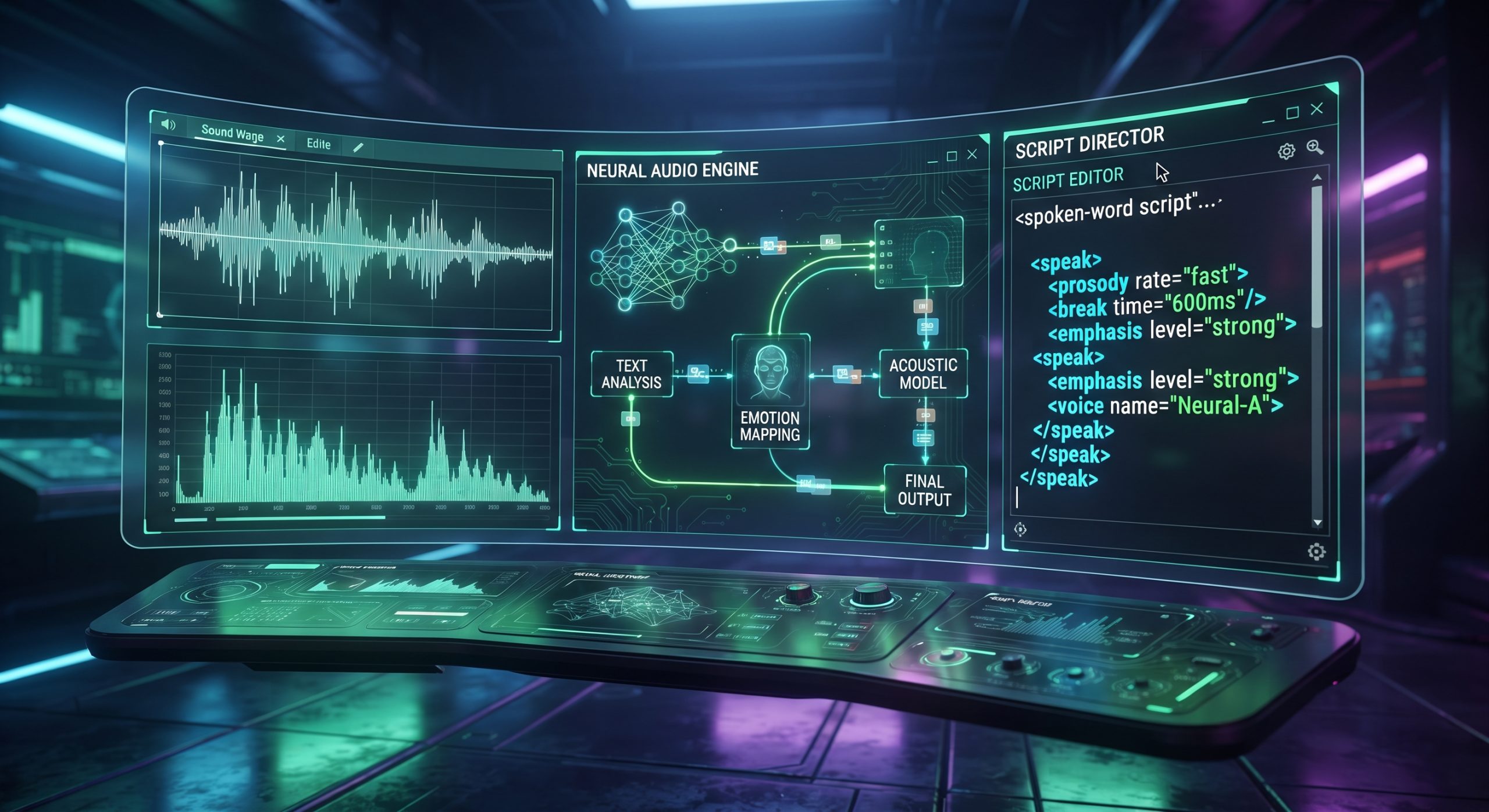
Let’s face it.
You tested a modern text-to-speech API. You typed in a script, hit generate, and listened to the output.
The voice was crisp. The audio quality was pristine.
And yet… it sounded completely robotic.
It rushed through sentences, ignored dramatic tension, and sounded like a bored airline pilot reading safety instructions.
Why? Because a high-fidelity voice model is only as good as the instructions you give it.
If you pass flat, unformatted text into an audio API, you are going to get flat, lifeless audio out.
If you want your synthetic voices to sound human, expressive, and engaging, you have to master the art of audio prompt engineering.
In this guide, you are going to learn how to move beyond raw text inputs, leverage Speech Synthesis Markup Language (SSML), and chain large language models to inject genuine emotion and realistic pacing into your automated audio pipelines.
Let’s dive right in.
Introduction: Overcoming the Uncanny Valley of AI Audio
We have officially conquered the quality barrier in synthetic speech.
Neural audio models can now mimic human vocal cords down to the microscopic acoustic details. But we have run headfirst into a new challenge: the acoustic uncanny valley.
When an AI voice speaks too fast, fails to pause for breath, or delivers a tragic piece of news with an upbeat, cheerful tone, the human brain instantly flags it as fake.
Users tune out.
To create truly engaging content within your automated video and voice generation pipelines, the text payload requires explicit structural direction.
You cannot treat text-to-speech like a simple string parser. You have to treat it like a script editor directing a voice actor.
Once you learn how to control cadence and emotion via code, your automated media goes from sounding like a cheap machine to a professional broadcast.
Beyond Raw Text: Why Standard Strings Fail
Let’s look at why standard inputs fail.
When you send a raw text string like "Welcome back to the channel today we are talking about artificial intelligence" to a text-to-speech API, the underlying neural network has to guess where the commas, breaths, and emphasis belong.
Without punctuation cues or directional tags, models default to a uniform reading rhythm.
-
It doesn’t know when to pause for dramatic effect.
-
It doesn’t know which words to emphasize for impact.
-
It lacks emotional subtext.
To fix this, developers need to leverage markup languages and intermediary parsing layers.
You have to manually sculpt the audio timeline using code before the synthesis engine even touches the text.
Mastering SSML (Speech Synthesis Markup Language)
The secret weapon for controlling synthetic pacing is SSML (Speech Synthesis Markup Language).
SSML is an XML-based markup language designed specifically to give developers fine-grained control over pauses, pitch, speaking rate, and volume.
Instead of passing a flat text string, you wrap your script in tactical tags that tell the audio engine exactly how to behave.
Here are the core SSML tags you need to master:
-
The Break Tag (
<break>): Essential for natural pacing. By inserting explicit pauses—such as<break time="600ms"/>—you force the voice model to take a breath between thoughts, mimicking natural human speech patterns. -
The Emphasis Tag (
<emphasis>): Used to highlight critical keywords. Wrapping a word in<emphasis level="strong">breakthrough</emphasis>changes the vocal inflection to draw the listener’s attention. -
The Prosody Tag (
<prosody>): Controls rate, pitch, and volume. You can slow down the reading rate for complex technical explanations or speed it up slightly for high-energy introductions.
By weaving SSML tags directly into your generation scripts, you eliminate the mechanical monotone that ruins most AI-generated content.
LLM Chaining for Dynamic Emotion Prompting
Writing SSML tags manually for thousands of automated scripts defeats the purpose of automation.
How do you scale emotional phrasing programmatically?
You use LLM chaining.
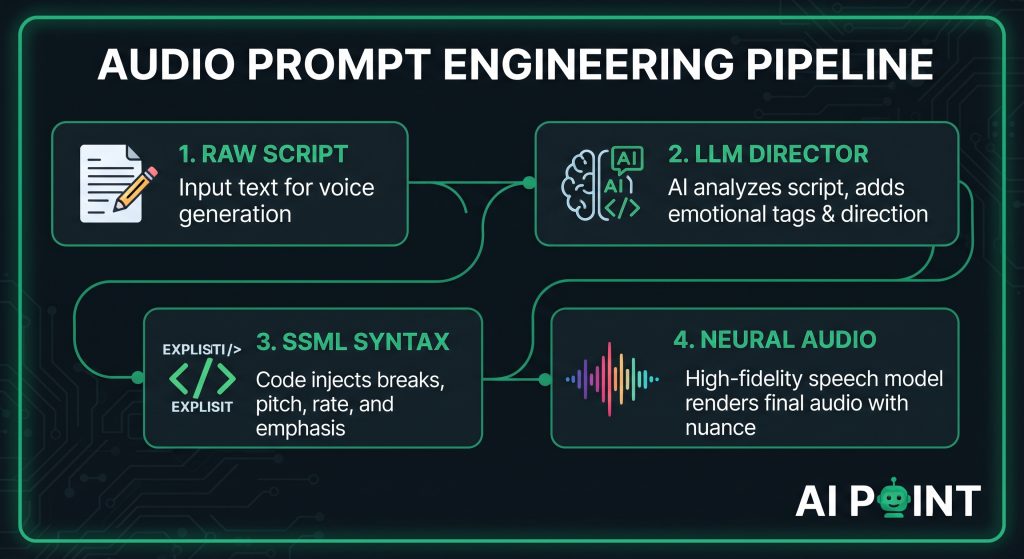
Before your script ever reaches the text-to-speech API, you pass your raw script through an intermediate LLM (like GPT-4o or Claude 3.5 Sonnet) with a strict system prompt.
Here is how the workflow operates:
-
The Input: Your system pulls a raw news article or marketing blurb from your database.
-
The LLM Transformation: You instruct the LLM: “Analyze this script. Insert strategic SSML pause tags, bracket emotional cues like [sighs] or [whispers] if supported by your TTS provider, and mark words that require high emphasis.”
-
The API Execution: The LLM returns a perfectly formatted, marked-up script that is immediately passed to your high-fidelity audio generation API.
By using an LLM as your automated voice director, you scale emotional nuance across thousands of videos without a human ever touching the script.
Testing and Iteration Strategies Without Burning Credits
Audio API generation credits add up fast.
If you are constantly tweaking prompts, adjusting SSML tags, and sending requests to high-end models to see how they sound, you will drain your budget in an afternoon.
Here is how to set up a cost-effective testing loop:
-
Use Sandbox or Lower-Tier Models: Always test your prompt templates, sentence lengths, and markup structures using cheaper, faster developer tiers or standard-definition models before firing up heavy production models.
-
Isolate Short Test Snippets: Don’t render a 10-minute podcast script to check a pacing issue. Isolate the exact sentence or paragraph giving you trouble and test just that 5-second block.
-
Build a Prompt Library: Once you find an SSML structure or LLM prompt template that produces a phenomenal emotional cadence, save it in your repository as a reusable function.
Smart iteration keeps your pipeline cost-efficient while you dial in audio perfection.
Conclusion
Prompting for synthetic voice emotion and realistic pacing separates amateur automation from professional-grade media engines.
By moving past flat text strings, mastering SSML markup, and chaining LLMs to act as automated voice directors, you can transform robotic narration into compelling, human-sounding audio.
The technology is powerful, but the prompt is what brings it to life.
It is time to update your backend generation scripts, add some breathing room to your audio pipelines, and give your AI voices the emotional depth they deserve.
