

Let’s get one thing straight right out of the gate.
The traditional way of writing code is dying.
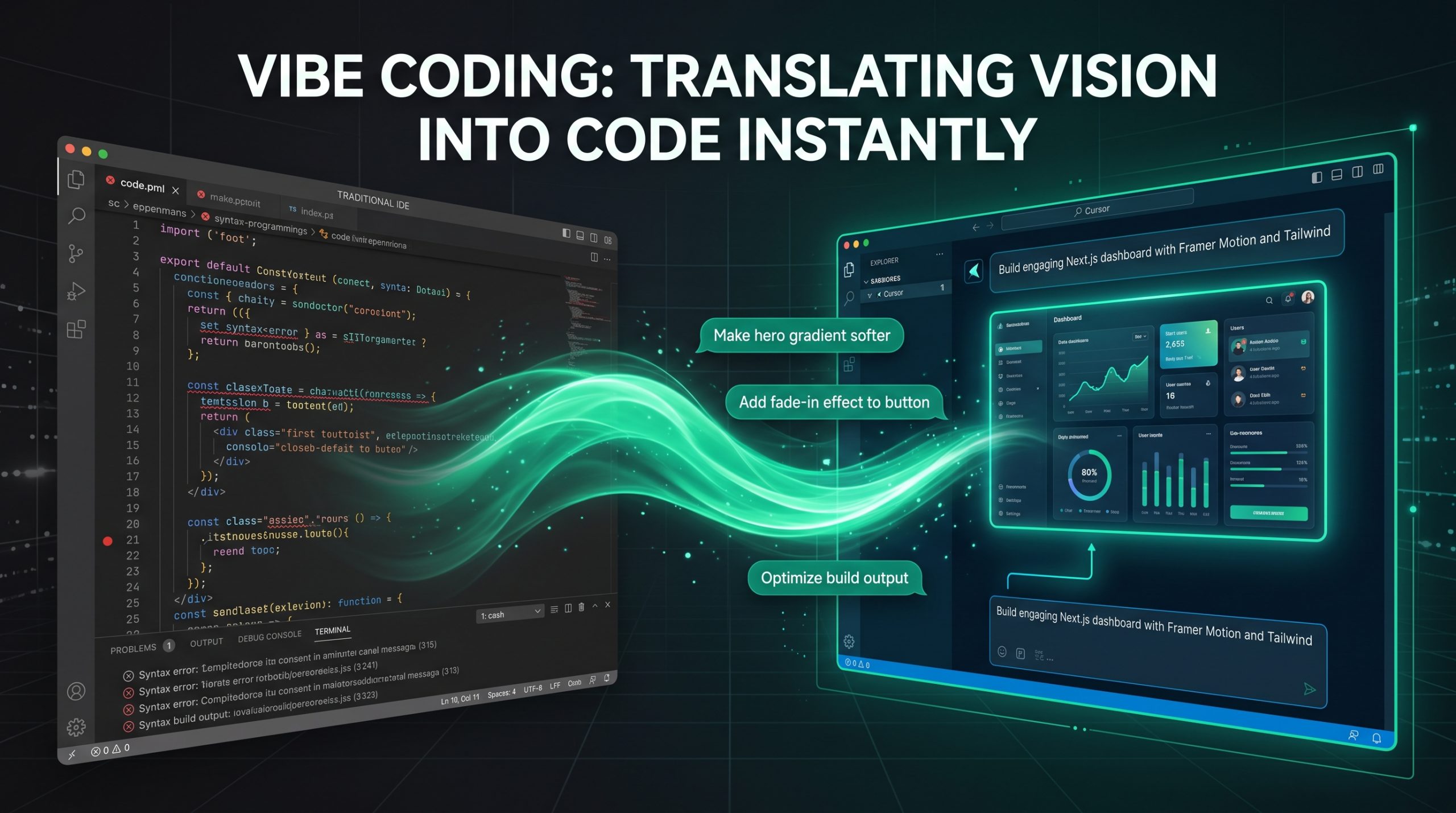
For the last twenty years, being a developer meant acting as a human translation layer. You had a concept in your head, and you painstakingly translated that concept into highly specific syntax, character by character.
You worried about missing semicolons. You memorized boilerplate. You fought with unclosed HTML tags.
Today? That is a massive waste of your time.
We are officially entering the era of the “Vibe Coder.”
Vibe coding is a fundamental shift in how we interact with our machines. Instead of typing out logic line by line, you establish a continuous, natural language dialogue with an AI agent. You steer the “vibe,” the architecture, and the user experience.
The AI handles the syntax.
But to actually pull this off, you cannot just use a basic text editor and a browser tab open to ChatGPT. You need a completely new workflow.
Today, I am going to show you exactly how to set up the ultimate vibe coding environment, iterate on UI elements at lightning speed, and push your Next.js applications to production faster than ever before.
Let’s dive right in.
Setting Up the Vibe Coding Environment
If you are opening up a vanilla IDE and hoping to vibe code, you are already behind.
Basic auto-complete tools like GitHub Copilot are great, but they are incredibly limited. They only look at the few lines of code immediately surrounding your cursor. They have zero understanding of your broader application structure.
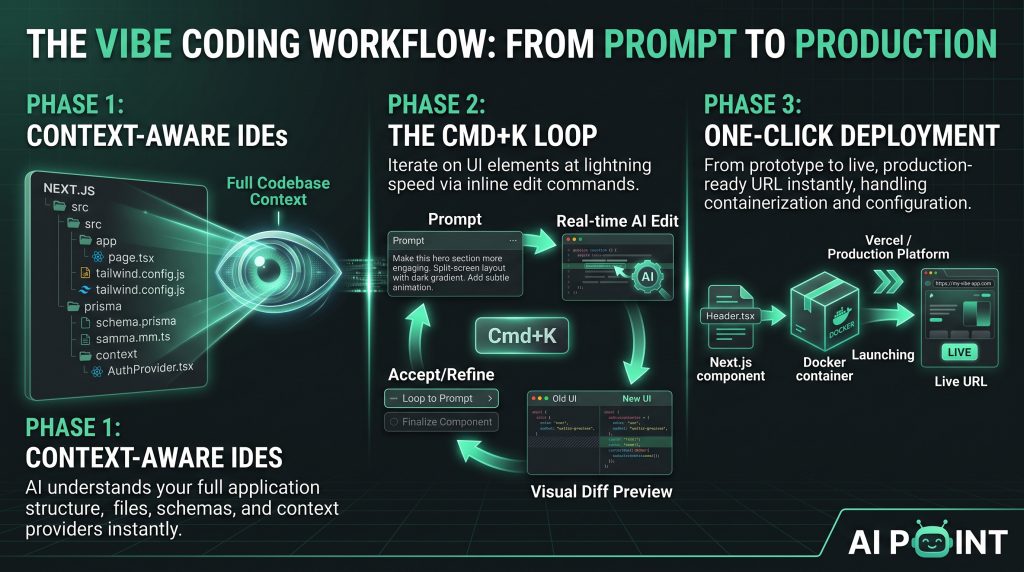
To truly vibe code, you need a context-aware environment.
You need tools that understand your entire codebase all at once.
Right now, the undisputed kings of this space are Cursor and Windsurf.
Here is why these environments are absolute game-changers.
When you ask an AI agent inside Cursor to build a new feature, it does not just guess. It actively indexes your entire Next.js directory. It reads your tailwind.config.js file. It looks at your Prisma schemas. It understands how your React context providers are set up.
It knows the exact “vibe” of your existing code.
Because of this massive context window, the AI writes code that perfectly matches your specific styling guidelines and architectural patterns.
You are no longer copying and pasting broken snippets from the internet. You are directing an intelligent agent that lives directly inside your project.
If you are serious about rapid frontend development, downloading a context-aware IDE is step number one.
The Prompt-Edit-Preview Loop
Once your environment is set up, it is time to master the loop.
In the old days, iterating on a UI component was tedious. You changed a CSS class, saved the file, checked the browser, realized it was wrong, and went back to the code.
Vibe coding replaces this with the Prompt-Edit-Preview Loop.
And the primary weapon in this loop is the inline edit command (usually Cmd+K).
Here is what this looks like in practice.
Let’s say you have a hero section in your React app, but it feels a little boring. Instead of manually rewriting the markup, you simply highlight the entire component and hit Cmd+K.
A small natural language input box pops up right over your code.
You type: “Make this hero section more engaging. Switch it to a split-screen layout with a dark gradient background. Add a subtle Framer Motion fade-in effect to the primary button.”
You hit enter.
Within seconds, the AI deletes your old code, writes the new layout, imports the necessary Framer Motion dependencies, and applies the exact Tailwind classes needed.
You instantly see a visual diff. If you like it, you hit accept.
But what if it is not quite right? What if the gradient is too dark?
This is where conversational debugging comes in. You do not touch the code. You hit Cmd+K again and say: “Make the gradient lighter and increase the gap between the heading and the button.”
The AI adjusts it immediately.
You are rapidly prototyping in real-time, sculpting the UI with your words instead of your keyboard.
The Evolution of Web Architecture
This completely changes the mindset of the modern developer.
When you are no longer bogged down by syntax errors and boilerplate setup, your brain is freed up to focus on the things that actually matter.
You start thinking about user psychology. You focus on conversion rates. You have the mental bandwidth to architect robust database schemas and plan long-term scalability.
Vibe coding represents the pinnacle of the workflow we outlined in our definitive guide to AI-assisted frontend development, merging human creativity with instant technical execution.
It forces you to become a better communicator.
If your AI agent gives you bad code, it is rarely the AI’s fault. It is usually because your instructions were vague. The best vibe coders are essentially expert technical directors. They know exactly how to constrain the AI and give unambiguous, architectural commands.
From Localhost to Live Deployment
So, you have vibe coded a beautiful, responsive Next.js application.
Now you need to get it live.
Historically, deployment and DevOps were entirely separate skill sets. You had to learn how to write complex YAML files and fight with server configurations.
Not anymore. Vibe coding extends directly into deployment.
Let’s say you want to containerize your application. You do not need to read Docker documentation for three hours.
You just open your AI agent chat and say: “Write a production-ready Dockerfile and docker-compose.yml for this Next.js app. Ensure it uses a lightweight Node alpine image and optimizes the build output.”
The files are generated instantly.
If you want to go even faster, you can skip the manual setup entirely. Platforms like Lovable are taking the vibe coding concept to the extreme, allowing you to generate full-stack applications from a single prompt and deploy them to live URLs with one click.
Or, if you are sticking to your custom codebase, you can easily instruct your AI to configure your environment variables and prep your repository for a seamless push to Vercel.
The loop from idea, to code, to a live, production-ready URL has shrunk from weeks to mere hours.
Conclusion
Vibe coding is not just a buzzword. It is the new reality of software development.
The developers who embrace this—who learn to treat AI as a collaborative partner rather than a simple search engine—are going to build faster, ship more products, and create better user experiences than those who refuse to adapt.
Stop typing out every single line of React boilerplate.
Download a context-aware IDE. Master the Cmd+K loop. Let the machine handle the syntax while you focus on the vision.
Now, I want to turn it over to you.
Have you tried using tools like Cursor or Windsurf for your frontend projects yet? What is the biggest workflow bottleneck you are hoping AI can solve for you?
